
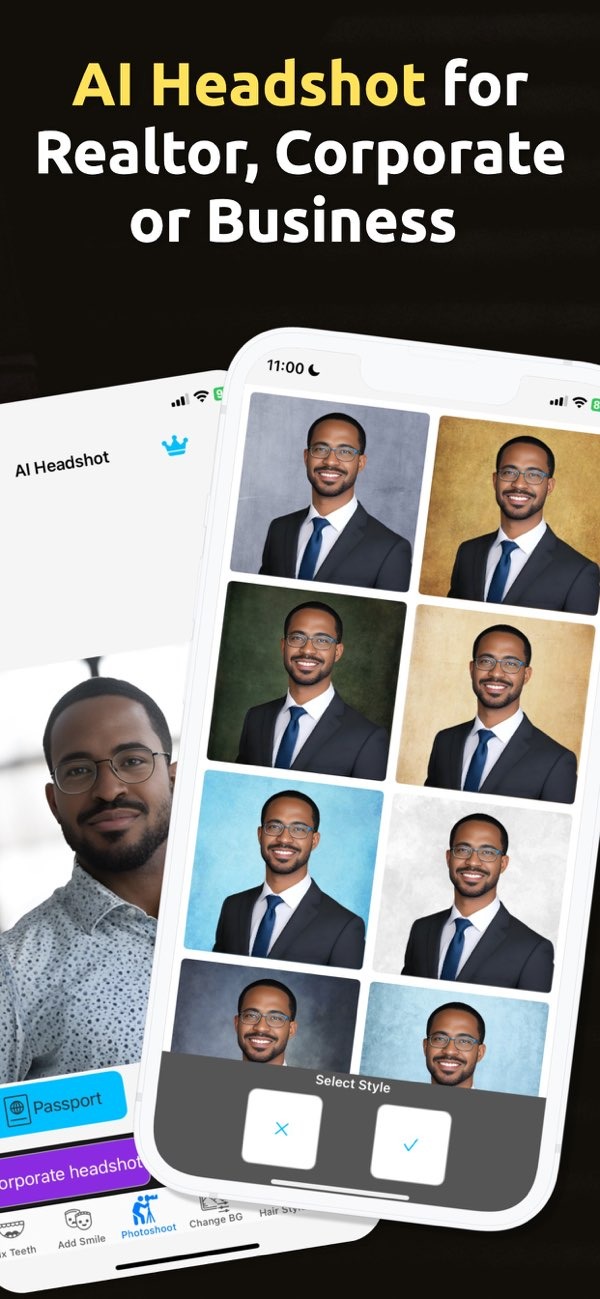
What Factors Should I Consider When Selecting a Background for Professional Headshots?
Choosing the right background for headshots is key to creating a professional image that fits your personal or business brand. With the PhotoToHeadshot app on iOS, you can pick and adjust backgrounds to match your needs. Download PhotoToHeadshot to explore different background options and improve your professional headshots.
 |
 |
Key Considerations for Background Selection
When you choose a background for headshots, a few factors matter. Think about the purpose of the headshot, what the subject is wearing, and the look you want. Each of these can change how strong the final image feels.
Purpose of the Headshot
How you plan to use the headshot is one of the most important factors. For example, a headshot for a corporate resume or LinkedIn profile often works best with a neutral, professional background. This may be a solid color or a soft gradient. In contrast, headshots for creative industries may work well with more textured or lively backgrounds that show personality and creativity.

With PhotoToHeadshot, you can try different backgrounds to fit the exact use of your headshot. This helps your image match your goals and what people expect in your field.
Attire and Background Compatibility
It is also important that the subject’s clothing works well with the background. The background should support the outfit, not fight with it. For instance, a dark suit often looks sharper on a lighter background. A white shirt may need a darker or colored background so it does not blend in.
PhotoToHeadshot includes many background choices that you can adjust to fit the outfit. This helps keep the subject as the main focus of the image.
Overall Aesthetic and Brand Alignment
The style of the headshot should match your personal or business brand. Think about what you want your image to say. A clean, simple background can suggest professionalism and care. A brighter background may suggest creativity and new ideas.
With PhotoToHeadshot, you can keep a consistent style across several headshots. This supports brand consistency and strengthens your professional image.
Practical Scenarios and Examples
Seeing how backgrounds work in real situations can help you choose well. Below are a few common cases where the background makes a big difference.
Corporate Headshots
For corporate headshots, a neutral background is usually the best choice. This can be plain white, grey, or light blue. These backgrounds look professional and do not pull attention away from the subject. They work well for business cards, resumes, and LinkedIn profiles, where the focus should stay on the person.

PhotoToHeadshot lets you choose from several neutral backgrounds, so your corporate headshot can meet common industry expectations.
Creative Industry Headshots
In creative fields, the background can show more style. Textured or colored backgrounds can add depth and make the image more interesting. For example, a graphic designer may choose a background with a light pattern or a small pop of color to show their creative side.
With PhotoToHeadshot, you can test different textures and colors to find a look that feels creative but still professional.
Social Media Profile Pictures
Social media profiles often look best with a more relaxed and friendly feel. A background that shows your personality or interests can help your profile stand out. For a public relations specialist, a background with soft light and a touch of color may feel warm and approachable.

PhotoToHeadshot offers tools to customize backgrounds for social media, so you can create a profile picture that feels like you.
Common Mistakes to Avoid
Some background choices can hurt the final result. Avoiding these common issues can improve the quality of your headshots.
Overly Busy Backgrounds
A background that is too busy can pull attention away from the subject. It is better to choose a background that supports the subject instead of competing with their face and expression.
PhotoToHeadshot offers clean background options that help you avoid this issue and keep the focus on the subject.
Poor Lighting Conditions
Lighting affects how the background looks in the final image. Bad lighting can create harsh shadows and lower the overall quality of the headshot. Good lighting is important if you want a polished, professional result.
PhotoToHeadshot includes studio lighting effects that you can adjust to fit the background, which can improve the overall image quality.

FAQs
Frequently Asked Questions
How can I ensure my headshot background matches my brand?
Start with the message you want to send, then choose a background that fits your brand style. PhotoToHeadshot offers options you can customize to help keep your look consistent.
Can I change the background of an existing headshot?
Yes. With PhotoToHeadshot, you can change the background of an existing headshot to better match your needs or preferences.
What should I avoid in a headshot background?
Avoid backgrounds that are busy or cluttered, since they can distract from the subject. Also make sure the background works with the subject’s clothing and the overall look of the image.
How does lighting affect headshot backgrounds?
Lighting can change how a background appears in the photo. Good lighting helps the background support the subject and reduces unwanted shadows.
Choosing the right background for your headshots helps you create a professional image that fits your personal or business brand. With the PhotoToHeadshot app on iOS, you can explore and customize backgrounds to match your needs. Download PhotoToHeadshot today to improve your professional headshots. For more information, visit the Editr Apps website.
