
How can I create beautiful pregnancy photos with an app?
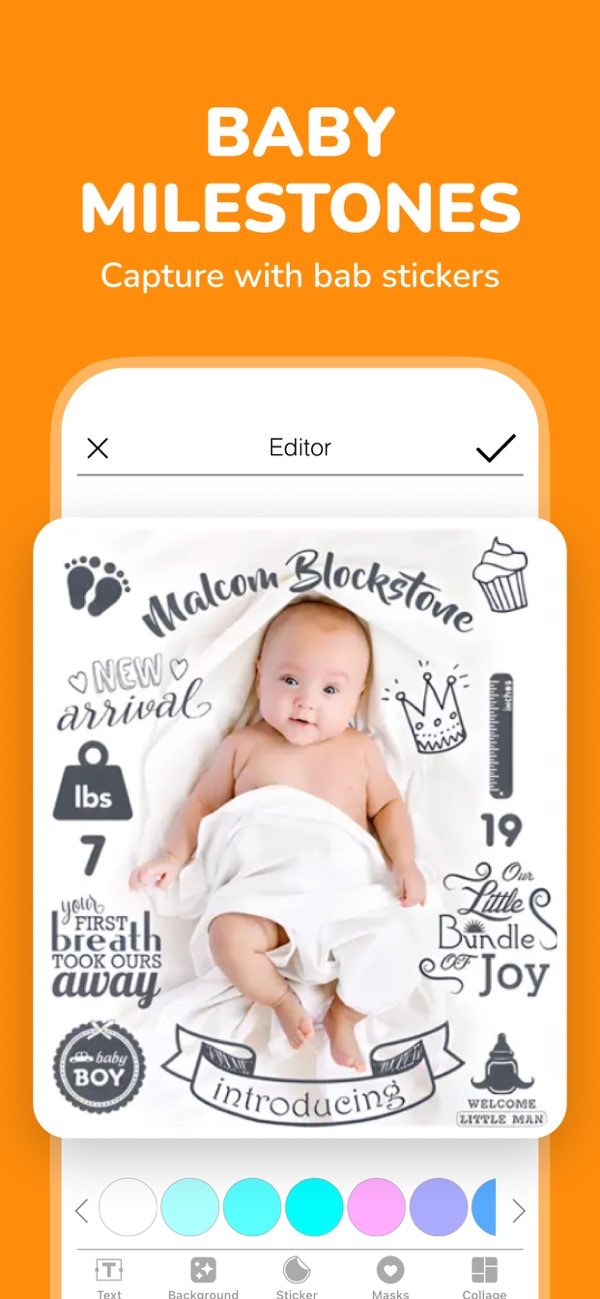
Creating beautiful pregnancy photos is easier than ever with the Pregnancy announcement app on iOS. The app includes tools to capture and edit your pregnancy journey. You can add stickers, text, and other details to your images. Whether you want to announce your pregnancy or track weekly milestones, the app gives you what you need to create clear, polished photos.
 |
 |
Getting Started with the Pregnancy Announcement App
The Pregnancy announcement app is easy to use, so it works well for parents who want to record their pregnancy journey. First, download the app from the App Store and install it on your iOS device. After you install it, open the app and explore the main features. These include baby birth and weekly stickers, text you can customize, and other options.

Key Features of the App
The app includes features that support different types of pregnancy photos:
- Baby Birth and Weekly Stickers: Use these stickers to mark key moments, like your pregnancy announcement or each week of progress.
- Customizable Text: Add your own message to make each photo more personal.
- Invitation Cards: Make invitation cards for baby showers and other milestone events.
- AI Name Finder: Use the AI name finder to help you choose a baby name based on your preferences.
Creating Pregnancy Milestone Photos
Pregnancy milestone photos help you record each stage of your pregnancy. With the Pregnancy announcement app, you can create these images in a few simple steps. Here’s how:
Step-by-Step Guide
1. Open the app and select the ‘Milestones’ section.
2. Pick a milestone sticker that matches your current week of pregnancy.
3. Take a new photo or upload one from your gallery.
4. Add customizable text, such as the week number or a short message.
5. Save the photo or share it on social media.
This method helps you build a visual timeline of your pregnancy. Later, you can look back and see how things changed week by week.
Enhancing Photos with Fantasy Themes
If you want a more creative style, the app also offers fantasy themes and gender reveal options. These tools let you change the look of your photos with themed designs. This can be a fun way to share updates with family and friends.
Using Fantasy Themes
To use fantasy themes, go to the ‘Themes’ section in the app. There, you can choose from different backgrounds and overlays. Apply them to your photos to create a more imaginative look. These themes can help you make images that feel unique and easy to remember.
Common Mistakes to Avoid
Even though the app is simple to use, some common issues can affect your results:
- Overusing Stickers: Stickers can improve a photo, but too many can make it look busy. Try to keep the layout balanced.
- Ignoring Lighting: Lighting affects photo quality. Use a well-lit space so your photos look clear and sharp.
- Not Saving Progress: Save your work as you edit so you do not lose changes.
FAQs
Frequently Asked Questions
Is the app available on Android?
Right now, the Pregnancy announcement app is available on iOS devices. Check the App Store for availability.
How can I find baby names using the app?
The app includes an AI name finder that suggests baby names based on your preferences. You can open it from the main menu.
What types of invitation cards can I create?
You can create invitation cards for baby showers and other milestone events by using the app’s templates and customization options.
Are there any costs associated with using the app?
The app may include free features, but some advanced options may require in-app purchases. Check the app details for more information.
Conclusion
Creating beautiful pregnancy photos is a meaningful way to record the journey of bringing new life into the world. With the Pregnancy announcement app, you get tools that make the process simple and enjoyable. You can mark milestones, share announcements, and create images you will want to keep.
For more information about the app and its features, visit the Editr Apps website. To start creating your own pregnancy photos, download the Pregnancy announcement app on iOS today.
