
How can I create a professional AI-generated headshot?
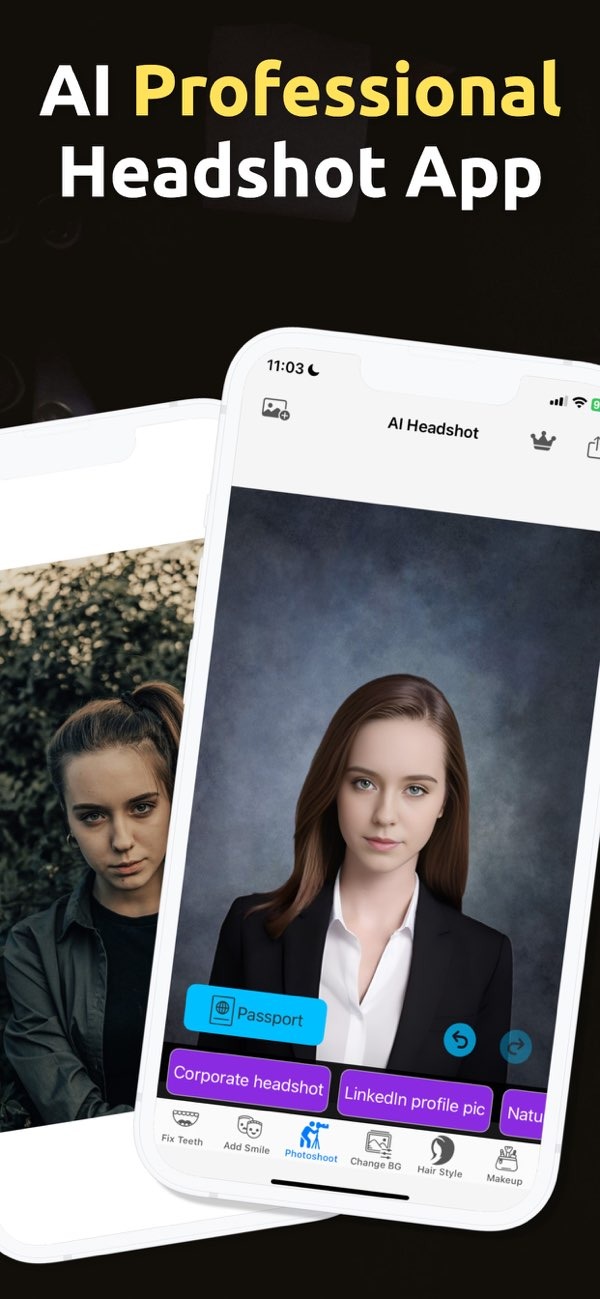
Creating a professional AI-generated headshot is easy with the PhotoToHeadshot app on iOS. The app helps you create high-quality headshots for business profiles, social media, and other uses by using advanced AI.
 |
 |
Understanding AI for Headshots
AI for headshots means using artificial intelligence to create or improve personal photos, especially photos used for work. The technology looks at your facial features and makes changes, such as adding a clean background and studio-style lighting, to create a polished image.

AI-generated headshots are popular because they are fast and affordable. They can be a good option instead of a traditional photo shoot, especially if you need to update your professional profile quickly.
Benefits of Using AI for Professional Headshots
The main benefit of AI headshots is speed. You can get a high-quality image without hiring a professional photographer. This helps business professionals who need to update their profile photo often.
AI headshot apps like PhotoToHeadshot also let you customize your image. You can pick different styles and backgrounds to match your needs. The app also helps keep image quality consistent, which matters for a professional online presence.
How to Use PhotoToHeadshot for Professional Pictures
PhotoToHeadshot is built to be easy to use, even if you are not very technical. Here is a step-by-step guide to creating a professional AI-generated headshot with the app:
Step 1: Download and Install the App
Download the PhotoToHeadshot app from the iOS App Store. After it installs, open the app to begin.
Step 2: Upload Your Photo
Choose a clear, high-resolution photo from your device. The app works best when your face is easy to see and centered. Try to avoid photos with strong shadows or busy backgrounds.

Step 3: Customize Your Headshot
PhotoToHeadshot includes several options to customize your headshot. You can choose a background style, adjust lighting, and apply improvements to meet professional standards. The AI then applies these changes to improve the overall image quality.
Step 4: Save and Use Your Headshot
When you like the result, save your new headshot. You can upload it to business profiles, resumes, or social media accounts. The app also makes sure the image works well on platforms like LinkedIn, which makes it useful for many professionals.

Common Mistakes and How to Avoid Them
AI headshot apps are simple to use, but some common mistakes can reduce quality. A frequent issue is starting with a low-quality or unsuitable photo. Begin with a clear, well-lit image so the AI can work at its best.
Another issue is doing too much customization. It can be tempting to add many effects, but a natural look is important for professional headshots. Small, careful changes often look best.
Limitations and Trade-offs
AI headshot apps have many benefits, but they also have limits. For example, they can improve image quality, but they may not match the detailed work of a professional photographer. Consider the convenience and lower cost, and compare that with whether you need a more personal photo service.
Also, AI-generated images may not show your personality or style as well as a photographer might. Keep these trade-offs in mind when you decide how to create your headshot.
Practical Scenarios for Using AI Headshots
AI-generated headshots work well in many situations. Business professionals can use them for LinkedIn profiles, resumes, and business cards. Since the app can create consistent, high-quality images, your professional presence can stay polished and current.
Social media influencers and public relations specialists can also use AI headshots. They often need to update online profiles often, and AI can be a fast and efficient option.

Frequently Asked Questions
Can AI headshots be used for official documents?
AI headshots can work for business profiles and social media, but they may not meet the rules for official documents like passports or visas. Always review the requirements for each document.
How does AI improve headshot quality?
AI improves headshot quality by studying facial features and making changes like better lighting and a cleaner background. This helps create a polished, professional look.
Are AI-generated headshots suitable for LinkedIn?
Yes, AI-generated headshots can work well for LinkedIn. They can look professional and can be customized to match the platform’s needs.
What should I consider when choosing an AI headshot app?
Look at how easy the app is to use, what customization options it offers, and how good the final image looks. PhotoToHeadshot is a common choice because it is easy to use and can produce professional results.
Conclusion
Creating a professional AI-generated headshot can be quick and practical when you use the right tool. PhotoToHeadshot on iOS offers a simple way to update professional images quickly and at a lower cost. For more information on AI apps, visit Editr Apps.
