
How can I improve body symmetry in my photos using an app?
To improve body symmetry in your photos, you can use the Body Editor app on iOS. The app includes tools that help you adjust and fine-tune body proportions, so your photos show the symmetry you want.
Understanding Body Symmetry in Photography
Body symmetry in photography means how balanced and even the body looks in a photo. Symmetry is often linked to beauty and visual appeal, so it matters in portrait and fashion photography. Getting perfect symmetry in a real photo can be hard because posture, lighting, and camera angle can all change how the body looks.
Photographers and editors often use digital tools to improve symmetry. They do this by lining up features and balancing body proportions. This can include resizing certain areas, fixing posture, and sometimes adjusting the background so attention stays on the subject.
Features of the Body Editor App
The Body Editor app includes many tools for improving body symmetry. With over 100 customization options, users can adjust photos in detail to get the look they want. Key features include:
 |
 |
Muscle Editor and Body Reshape
The Muscle Editor and Body Reshape features let users change body shape and contours. You can increase or reduce muscle definition based on your needs. This can help fitness fans show their physique, or help others create a more toned look.

Face Editor
The Face Editor offers tools to refine facial features for better balance and symmetry. Users can adjust the size and position of features like the eyes, nose, and mouth. This can create a more even look that matches the rest of the body.
Tattoo Design Maker
If you want to add a personal detail to your images, the Tattoo Design Maker includes customizable tattoo options. It lets users try different designs and placements to improve the overall look of their photos.
Hairstyle and Color Customization
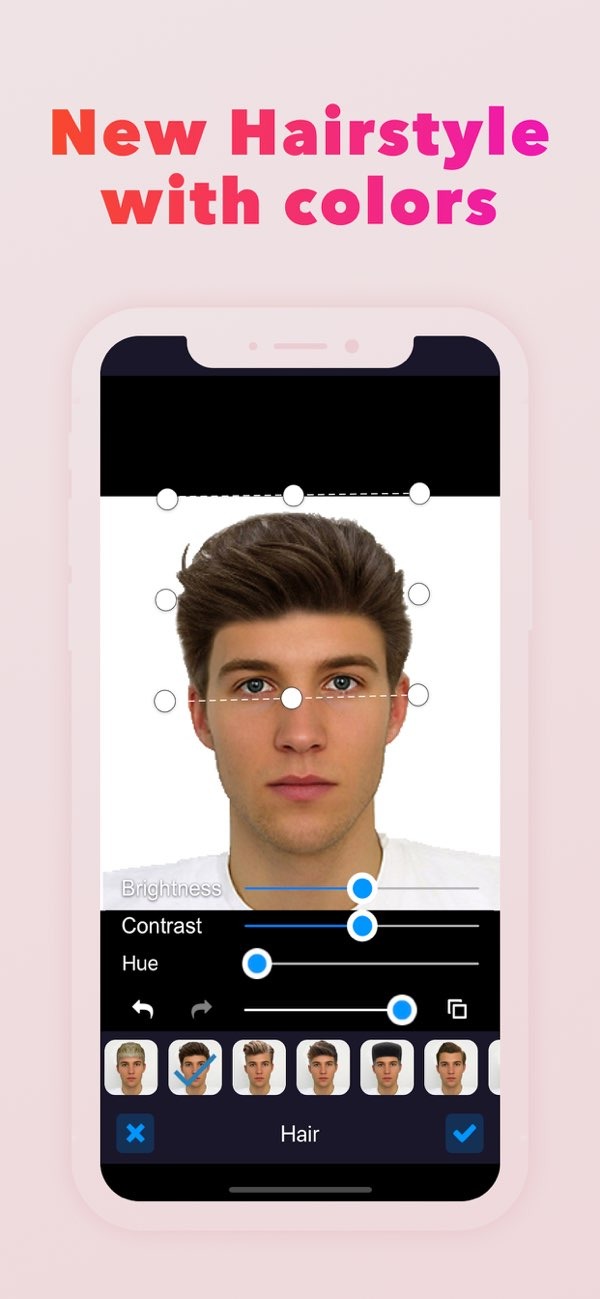
Hair changes can affect how symmetrical a photo looks. The hairstyle tool lets users test different styles and colors. This helps ensure the hairstyle fits the face shape and supports overall body proportions.
Step-by-Step Guide to Enhancing Body Symmetry
To use the Body Editor app to improve body symmetry, follow these steps:
- Download and Install: Download the Body Editor app from the iOS App Store.
- Upload a Photo: Open the app and upload the photo you want to edit. Use a clear, well-lit image for the best results.
- Select the Desired Tool: Pick the tool that matches what you want to change. For body symmetry, the Muscle Editor and Body Reshape tools are good starting points.
- Adjust and Refine: Use sliders and other controls to adjust body proportions. Make changes slowly so the result still looks natural.
- Review and Save: When you are happy with the edits, review the final image and save it to your device.
Common Mistakes and How to Avoid Them
When editing photos for body symmetry, users often make a few common mistakes. Knowing these issues can help you get better results:

- Over-Editing: Large or repeated changes can look unrealistic. Make small edits that improve the photo without changing it too much.
- Ignoring Background Elements: Make sure body changes do not warp or misalign the background. Background issues can pull attention away from the subject.
- Neglecting Lighting and Shadows: Keep the original lighting in mind. Edits should match the photo’s shadows and highlights so the image still looks real.
Limitations and Trade-offs
Digital editing tools like the Body Editor app can be helpful, but they also have limits and trade-offs. Edits can reduce authenticity and may change the subject’s natural look. Also, relying too much on editing can slow down skill growth in areas like composition, posing, and lighting.
It helps to balance editing with the original photo. This way, the final image can look polished while still reflecting the subject’s real appearance.
Frequently Asked Questions
Can I use the Body Editor app to add tattoos to my photos?
Yes. The app includes a Tattoo Design Maker feature that lets users add tattoos and customize them in their photos.

Is the Body Editor app available for Android devices?
Right now, the Body Editor app is available on iOS. Users should check the app store to see if an Android version is available.
How can I ensure my edits look natural?
For natural-looking edits, make small changes and match the lighting and shadows in the original photo.
Are there any costs associated with using the Body Editor app?
The app may include free features, but some advanced tools and options may require in-app purchases or a subscription.
Conclusion
Improving body symmetry in photos is possible with the right tools and methods. The Body Editor app gives users a strong set of options to refine images and reach a balanced look. By learning the features and avoiding common mistakes, users can create photos that look even and visually appealing.
For more details about the app and its features, visit the Editr Apps website. To begin editing your photos, download the Body Editor app on iOS today.
