
How can I digitally restore old photos using an online tool?
Digital photo restoration is now easier thanks to new technology. You can use the AI Photo Enhancer on iOS to improve and restore your old photos with less effort. The app includes tools that help bring photos back to life, such as colorization, repair options, and vivid filters.
 |
 |
Understanding Digital Photo Restoration
Digital photo restoration means using software to fix and improve old photographs. It may include adjusting colors, removing scratches, and improving image quality. The aim is to keep the photo’s original look while making it clearer and more pleasing to view.
With AI, restoration is faster and easier for people without professional skills. AI tools can spot areas that need work and apply changes automatically. This makes the process quicker and simpler to use.
Key Features of AI Photo Enhancer
Enhancing and Sharpening Blurry Photos
A key feature of AI Photo Enhancer is sharpening blurry photos. The app uses advanced algorithms to detect blur and reduce it, which can make images look clearer and more defined. This is helpful for older photos that often lose sharpness as they age.
 |
 |
 |
 |
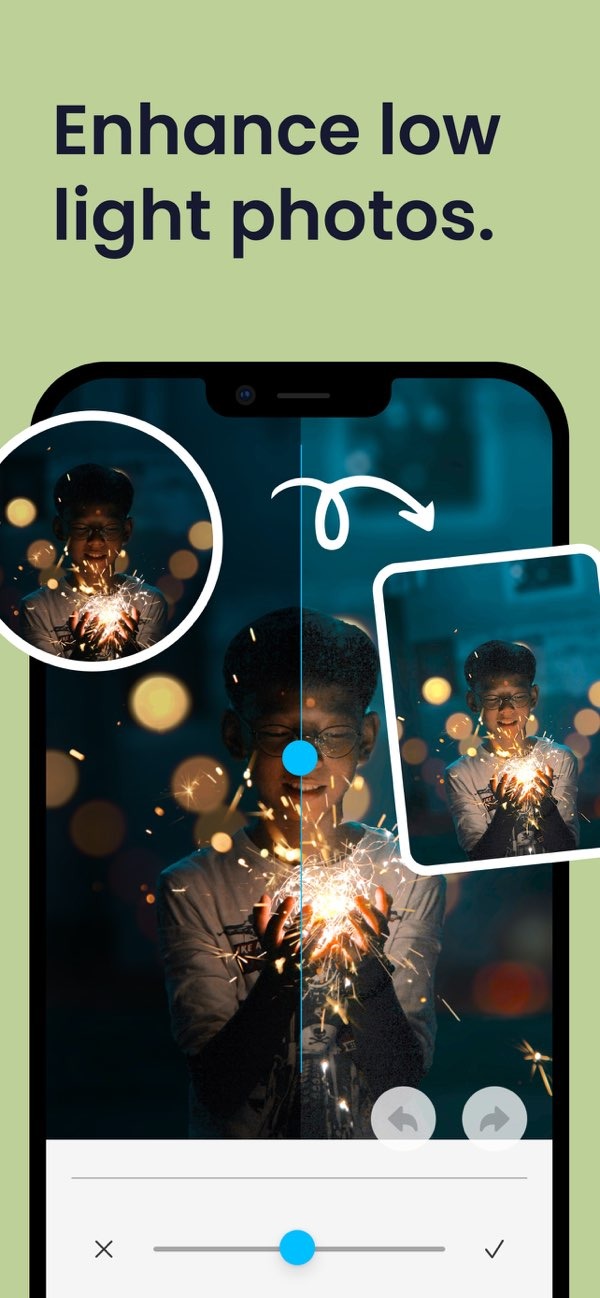
Enhancing Low Light Photos
Photos taken in low light can look dark, grainy, or unclear. AI Photo Enhancer has tools made for these situations. By adjusting brightness and contrast, the app can reveal details that are hard to see and improve the photo’s overall quality.
Step-by-Step Guide to Restoring Photos
Restoring photos with AI Photo Enhancer is simple. Here is a step-by-step guide:
- Download and install the AI Photo Enhancer on iOS.
- Open the app and choose the photo you want to restore from your gallery.
- Use the sharpening tool to improve clarity and reduce blur.
- Use the colorization tool to add color to black-and-white photos.
- Use the repair tools to fix scratches, tears, or other damage.
- Try different filters to increase vibrancy or adjust the mood.
- Use the portrait auto smoother to refine portrait photos.
- Adjust the background blur to draw attention to the main subject.
- Save the restored photo to your device or share it from the app.
Common Mistakes and How to Avoid Them
When restoring photos, some common mistakes can affect the final result. A frequent issue is over-editing, which can make a photo look fake or overly processed. To avoid this, make small changes and check the image often as you work.
Another mistake is not saving the original file. Keep a copy of the unedited photo so you can go back if needed. Also be careful with colorization. It can make a photo look more lively, but it should not change the photo so much that it no longer feels authentic.
Limitations and Trade-offs
AI Photo Enhancer includes strong tools, but it also has limits. It may not fully restore photos with heavy damage, and you may need to make some manual changes. Also, while the app offers many features, there can be trade-offs between improving a photo and keeping it true to the original.
For example, filters can boost color and contrast, but they may also change the photo’s original mood. Try to balance improvements with the goal of keeping the photo’s original character.
Conclusion
Digital photo restoration combines technology with creative choices. With tools like AI Photo Enhancer, you can bring old photos back with clear improvements. Whether you want to improve a family portrait or restore an older image, the app includes tools that can help you get strong results.

For more information on AI Photo Enhancer and other editing tools, visit the Editr Apps website.
Frequently Asked Questions
Explore what your old photos can become with the AI Photo Enhancer on iOS. Download it and begin your digital photo restoration process.
