
What tools can I use to improve body symmetry in my photos?
To improve body symmetry in photos, the Body Editor app on iOS offers a full set of tools that help you refine and adjust your images.
Understanding Body Symmetry in Photography
Body symmetry in photography means the body looks balanced and well-proportioned in the image. When a photo feels balanced, it often looks more pleasing to the eye. Symmetry is also linked with a sense of harmony, which is why it is common in portrait and fashion photography.
Photographers and editors work toward symmetry by changing poses, camera angles, and lighting. Still, real-world conditions are not always ideal. Because of that, editing tools are often needed to fine-tune symmetry after the photo is taken. Apps like Body Editor help users make small, precise changes during post-processing.
Features of Body Editor for Enhancing Symmetry
The Body Editor app includes several features that can help improve body symmetry. The tools are designed to be easy to use, so they can work for both beginners and experienced photographers.
Face Editor with Customization Options
The app includes a face editor with more than 100 customization options. Users can adjust facial features like the eyes, nose, and mouth to create a more even look. This level of control helps correct small differences that may stand out in a close-up photo.
 |
 |
Muscle Editor and Body Reshape
The Muscle Editor lets users reshape and enhance body contours. This can be helpful for body-building or fitness photos, where balance between both sides matters. The Body Reshape tool can also adjust proportions so the left and right sides of the body look more aligned.

Tattoo Design Maker
If you want to add tattoos to your photos, the Tattoo Design Maker provides tools to customize tattoo designs. It also helps you place tattoos in a way that looks balanced and properly sized, which can support the overall symmetry of the body.

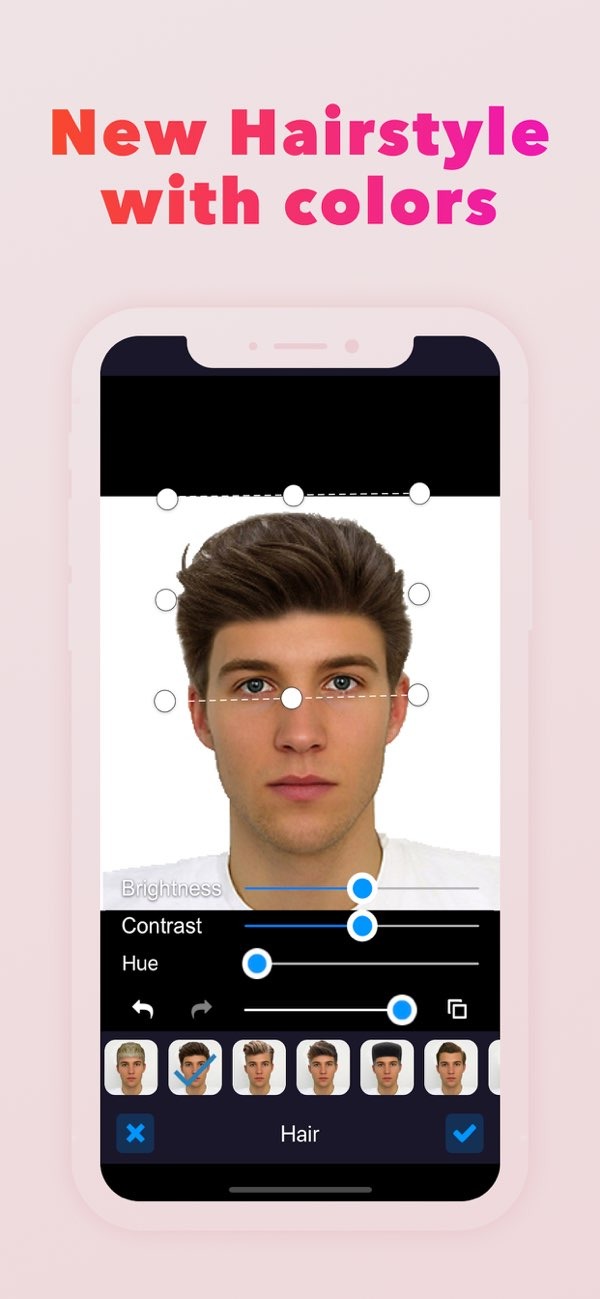
New Hairstyle and Color Customization
Hair can affect how balanced a photo looks. The app offers options to try new hairstyles and change hair color. These tools can help you create a more even look that matches your preferred style.
Step-by-Step Guide to Using Body Editor
Improving body symmetry with the Body Editor app is simple. Here is a step-by-step guide to help you begin:
- Download and Install: Download the Body Editor app from the App Store and install it on your iOS device.
- Upload Your Photo: Open the app and upload the photo you want to edit. The app supports many image formats, so it works with most devices.
- Select the Editing Tool: Pick the tool that fits your goal, such as the Face Editor, Muscle Editor, or Tattoo Design Maker.
- Make Adjustments: Use the app’s interface to make changes. Zoom in for detail work, and use sliders to control how strong each change is.
- Save and Share: When you are happy with the result, save your photo. The app also lets you share the edited image to social media platforms.
Common Mistakes and How to Avoid Them
When editing photos, some common mistakes can reduce the sense of symmetry. Knowing what to watch for can help you get better results.

Over-Editing
A common issue is over-editing, where too many changes make the photo look unnatural. To avoid this, make small adjustments and check your edit against the original image. This helps you keep a realistic look.
Ignoring Background Elements
The background can change how symmetry is perceived. Make sure the background supports the subject and does not pull attention away. The app lets users blur or adjust backgrounds, which can help keep focus on the person in the photo.
Neglecting Lighting
Lighting has a strong effect on symmetry. Uneven light can create shadows that make one side look different from the other. Use the app’s lighting adjustment tools to even out light and shadow across the image.
Limitations and Trade-offs
While the Body Editor app includes strong tools for improving symmetry, it is also important to understand its limits and the trade-offs of digital editing.
One limitation is that heavy editing can reduce image quality. Try to keep a high resolution, especially if you plan to print the photo.
Another trade-off is the time needed to create natural-looking symmetry. The app makes editing easier, but good results may still take patience and practice.
Frequently Asked Questions
If you want to improve body symmetry in your photos, the Body Editor app on iOS provides a complete set of tools. With its range of features, users can create professional-looking results with careful editing. To review the tools, download the app from the App Store.
