
How can I enhance the quality of my old photos using an online tool?
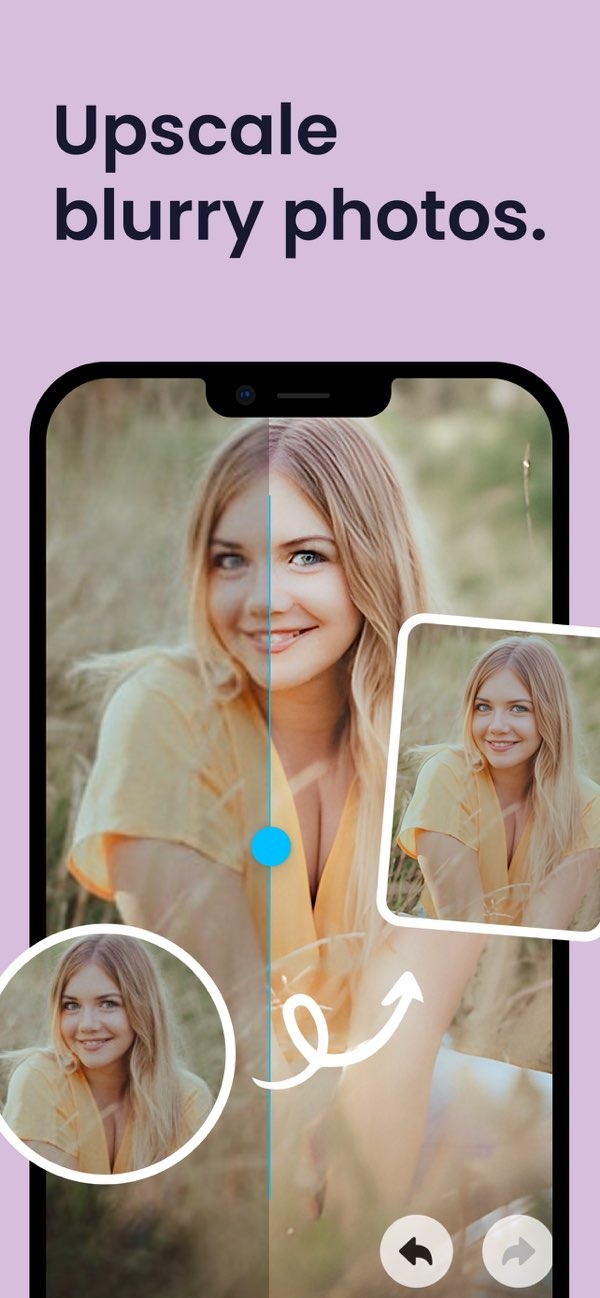
To enhance the quality of your old photos, you can use the AI Photo Enhancer on iOS. This tool uses advanced AI to sharpen blurry images, bring back color, and fix damage. It can help your photos look bright and refreshed.

Understanding AI Photo Enhancement
AI photo enhancement uses artificial intelligence to improve image quality. It can sharpen photos, correct color, and reduce noise. AI tools like Remini Photo Free and Remini Pro offer these options, so users can restore and enhance old photos with less effort.

The AI Photo Enhancer by Editr Apps has over 12 million users and is a popular choice for this task. It includes several features for photo enhancement and photo repair. This makes it useful for both hobbyists and professional photographers.

Features of AI Photo Enhancer
Enhance and Sharpen Blurry Photos
One key feature of the AI Photo Enhancer is sharpening blurry photos. This is helpful for old photos that may have lost detail over time. Using advanced algorithms, the tool can bring out details and improve overall sharpness.
Restore Old Photos with Colorization and Repair Tools
Old photos often have faded color or physical damage. The AI Photo Enhancer includes colorization and repair tools to help restore them. Colorization can add color to black-and-white photos. Repair tools can reduce scratches and fix other types of damage.

AI-Powered Vibrant Filters
To enhance photos even more, the AI Photo Enhancer offers AI-powered filters. These filters can change the tone and mood of an image. Users can try different filters to find the look they want.

Portrait Auto Smoother Feature
For portraits, the auto smoother feature can be useful. It smooths skin texture and reduces the look of blemishes. This can help create a more polished portrait without advanced editing skills.

Blur Photo Background Feature
The blur photo background feature helps the main subject stand out by blurring the background. You can adjust the blur with a slider, which lets you control how strong the effect is. This is useful for adding depth and focus to an image.

Enhance Low Light Photos
Low light photos often look noisy and may lack detail. The AI Photo Enhancer includes tools made for these cases. By increasing brightness and reducing noise, the tool can improve the quality of low light images.
How to Use AI Photo Enhancer
Using the AI Photo Enhancer is simple. First, download the app from the iOS App Store. After you install it, open the app and choose the photo you want to enhance. The app has a clear interface and several enhancement options.
Select the features you want, such as sharpening, colorization, or background blur. Then adjust the settings to match your preference and apply the changes. The app will process the photo with its AI algorithms, and you can save the enhanced image to your device.
Common Mistakes and How to Avoid Them
When using AI tools like the AI Photo Enhancer, some mistakes are common. One is over-editing, which can make photos look unnatural. To avoid this, use each feature lightly and change settings in small steps.
Another mistake is editing without saving the original photo. Always keep a copy of the original image so you can compare results and undo changes if needed. Also, keep the app updated so you can use the latest features and improvements.
Limitations and Trade-offs
Even with strong features, the AI Photo Enhancer has limits. It can improve photo quality, but it may not fully restore photos with heavy damage. It helps to set realistic expectations, since some images may still need professional restoration.
Another trade-off is processing time. AI enhancement can use a lot of resources, so high-resolution photos may take longer to process. For best results, wait for the app to finish the full enhancement process.
Frequently Asked Questions
How does the AI Photo Enhancer work?
The AI Photo Enhancer uses artificial intelligence to review and improve photos. It uses algorithms to sharpen, colorize, and repair images, which improves overall quality.
Can I use the AI Photo Enhancer for free?
Yes, the AI Photo Enhancer has a free version with basic features. You can unlock more advanced tools and options by upgrading to a paid version.
What is the difference between Remini Pro and Remini Free?
Remini Pro includes extra features and higher processing limits than the free version. It is made for users who need more advanced photo enhancement options.
Is the AI Photo Enhancer available on Android?
Right now, the AI Photo Enhancer is available on iOS. Users can download it from the Apple App Store for iOS devices.
Conclusion
Enhancing old photos is easier now with tools like the AI Photo Enhancer. With advanced AI, you can restore and improve images in just a few taps. If you want to sharpen blurry photos, bring back color, or use filters, this app offers a complete set of photo enhancement tools.
To explore AI-powered photo enhancement, download the AI Photo Enhancer on iOS today. For more details about the app and its features, visit the Editr Apps website.
