
How can I digitally restore old photos using an online tool?
To digitally restore old photos using an online tool, you can use the AI Photo Enhancer on iOS. The app includes a full set of features that help you enhance and repair old photos with ease and accuracy.
 |
 |
Summary of Key Features
- Enhance and sharpen blurry photos with little effort.
- Restore old photos using advanced colorization and repair tools.
- Apply AI-powered filters to improve photo quality.
- Use portrait auto smoother for cleaner, more polished edits.
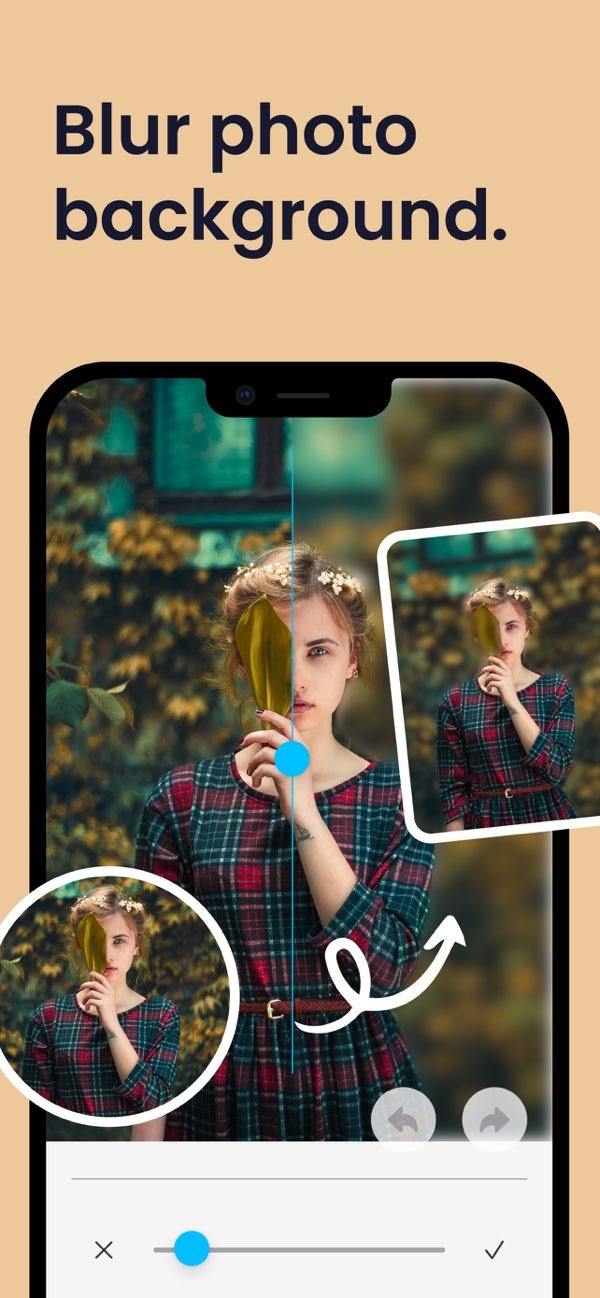
- Blur photo backgrounds with a simple slider.
- Improve low light photos with focused editing tools.
Understanding Digital Photo Restoration
Digital photo restoration is the process of using software to improve the look and quality of old or damaged photos. It can include fixing color, removing scratches or spots, and improving sharpness. With AI, these tasks are now easier and faster. This helps users bring new life to photos they want to keep.
The Role of AI in Photo Restoration
Artificial Intelligence (AI) is a key part of modern photo restoration. AI can scan an image, find areas that need work, and apply fixes on its own. This cuts down the time needed for manual edits. It also helps people with basic skills get results that look professional.
Step-by-Step Guide to Restoring Photos with AI Photo Enhancer
Restoring old photos with AI Photo Enhancer is simple. Follow these steps to improve your images:
Step 1: Download and Install the App
Start by downloading the AI Photo Enhancer from the App Store. After you install it, open the app to begin restoring your photos.
Step 2: Import Your Photos
Import the photos you want to restore. You can select images from your device gallery. You can also take new photos from inside the app.
Step 3: Use Enhancement Tools
Use the enhancement tools to sharpen blurry photos and improve detail. The AI filters can also adjust color and contrast to help your photo look clearer and more balanced.
 |
 |
Step 4: Apply Repair Features
If a photo has visible damage, use the repair tools to remove scratches, marks, and other flaws. The app’s AI can also fill in missing areas when possible, which can make the process feel smooth and natural.
Step 5: Final Adjustments and Saving
After you apply the main fixes, make final adjustments so the photo looks right to you. When you are happy with the result, save the restored image to your device or share it from the app.
Common Mistakes in Digital Photo Restoration
Digital photo restoration is useful, but users often make a few common mistakes. One is over-editing, which can make a photo look fake or too smooth. Try to use enhancements in small steps so you keep the photo’s original look.
Balancing Enhancements
Another mistake is not balancing edits across the whole photo. If you focus on only one area, the rest may look uneven. Use the app’s tools to give each part of the image the right level of attention.
Limitations and Trade-offs
Even with AI Photo Enhancer, digital restoration has limits. If a photo is badly damaged, it may not be possible to restore everything. Some details may be lost for good. Also, while AI can handle many tasks, you may still need manual edits to get the result you want.
Understanding Trade-offs
It also helps to think about the trade-off between speed and quality. AI tools can make restoration faster. But if you spend more time on manual touch-ups, you may get better results. Finding the right balance is important for a strong final image.
Conclusion
Digital restoration of old photos is now much easier with tools like AI Photo Enhancer. With AI, users can enhance, repair, and save important memories with less effort. Whether you are new to editing or have experience, the app offers tools that can help you get great results.
 |
 |
Frequently Asked Questions
Can AI Photo Enhancer fix severely damaged photos?
AI Photo Enhancer can fix many kinds of damage, but very damaged photos may not be fully restored. Some details may be lost, depending on how much damage the photo has.
Is AI Photo Enhancer suitable for beginners?
Yes. AI Photo Enhancer is easy to use and works well for beginners. Its AI tools handle many editing steps, so users with little experience can still get results that look professional.
How does AI technology enhance photo restoration?
AI reviews the image, finds areas that need improvement, and applies fixes automatically. This reduces the time and effort needed for manual editing and makes restoration easier for more people.
Where can I download AI Photo Enhancer?
You can download AI Photo Enhancer from the App Store on iOS. Visit the AI Photo Enhancer page to get started.
To explore digital photo restoration, download the AI Photo Enhancer on iOS today. For more information about the developer, visit Editr Apps.
