
What does the Remini app do?
The Remini app, available as the AI Photo Enhancer on iOS, is an advanced tool that helps you enhance and sharpen blurry photos with little effort. It uses modern AI to restore old photos, apply vibrant filters, and improve overall image quality. This makes it a popular choice for both photography fans and everyday users.
 |
 |
Key Features of the Remini App
The Remini app offers several features for different photo improvement needs. These features use artificial intelligence to deliver strong results while keeping the process simple for the user.
Enhancing and Sharpening Blurry Photos
One of the main functions of the Remini app is to enhance and sharpen blurry photos. This is helpful for images taken in low light or with older cameras. By studying the details in the photo, the app can boost clarity and sharpness. The result is a clearer image with more defined edges.

Restoring Old Photos
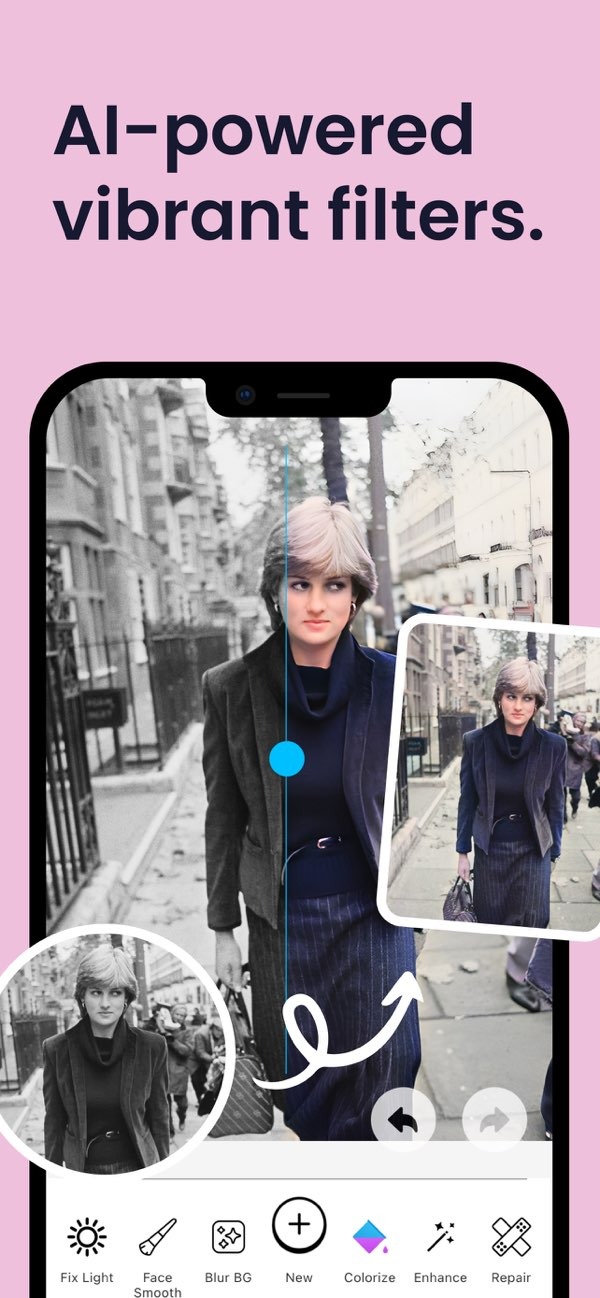
Remini also works well for restoring old photos. With colorization and repair tools, users can bring faded or damaged images back to life. The app’s AI can rebuild missing details and adjust colors. This can make old photos look more vibrant, closer to how they looked when first taken.

AI-Powered Vibrant Filters
The app includes a set of AI-powered filters that add vibrant colors and effects. These filters aim to improve the look of an image and make it stand out more. Users can pick from different styles based on their preferences and the mood they want to show.
Portrait Auto Smoother Feature
For portrait photography, the Remini app includes a portrait auto smoother feature. This tool smooths skin tones and reduces the look of blemishes. It can create a more polished and professional result. It works well for selfies and portraits where skin detail is easy to notice.

Blur Photo Background Feature
The blur photo background feature lets users change the depth of field in an image. With an adjustable slider, users can create a bokeh effect that keeps the subject in focus while softly blurring the background. This is useful for making photos look more artistic and more professional.

Enhancing Low Light Photos
Photos taken in low light often have noise and less detail. The Remini app includes tools to improve these images by increasing brightness and reducing noise. It aims to do this without lowering overall quality. This helps turn difficult low-light shots into clearer, more vibrant photos.
How Does Remini Work?
The Remini app uses artificial intelligence to review and process images. Its AI algorithms are trained to spot patterns and fine details in photos. This helps the app enhance and restore images with accuracy. It also allows the app to handle tasks like sharpening, colorizing, and repairing in a simple way.
Step-by-Step Process
Using the Remini app is simple. Users upload a photo, choose the enhancement features they want, and let the AI do the work. The app then processes the image and shows a preview of the changes. Users can review the result and make adjustments if needed before saving the final image.
Practical Scenarios
Remini is useful when photo quality is not ideal. For example, it can enhance family photos taken in dim lighting. It can also restore important memories captured on film. Because it supports different use cases, the app can work for both personal and professional needs.
Common Mistakes and Limitations
While the Remini app is a strong tool, users should understand its possible mistakes and limits. Relying too much on AI enhancements can sometimes create results that look unnatural. This is more likely when the original photo is very low quality. It helps to use the features carefully and preview changes before saving.
Trade-offs and Considerations
Users should think about the trade-off between improving photo quality and keeping the original photo’s authenticity. The app can greatly improve clarity and appearance, but some people may want to keep the original look and feel. The best results often come from balancing enhancement with authenticity.
Frequently Asked Questions
Is the Remini app free to use?
The Remini app offers both free and paid versions. The free version includes basic features, while the paid version provides access to advanced tools and enhancements.
Does Remini work on all types of photos?
Remini works best on digital photos and may have limited effectiveness on extremely low-resolution or heavily damaged images.
How does Remini compare to other photo enhancement apps?
Remini stands out due to its advanced AI technology, which provides superior enhancement and restoration capabilities compared to many other apps.
Can Remini be used for professional photo editing?
Yes, Remini can be used for professional photo editing, especially for tasks that require quick and effective enhancement and restoration.
For more information about the Remini app and other photo enhancement tools, visit the Editr Apps website.
If you’re interested in trying the Remini app, download the AI Photo Enhancer on iOS today and experience the power of AI-driven photo enhancement.
