
I’m looking for a tool to help me edit my headshots for professional use.
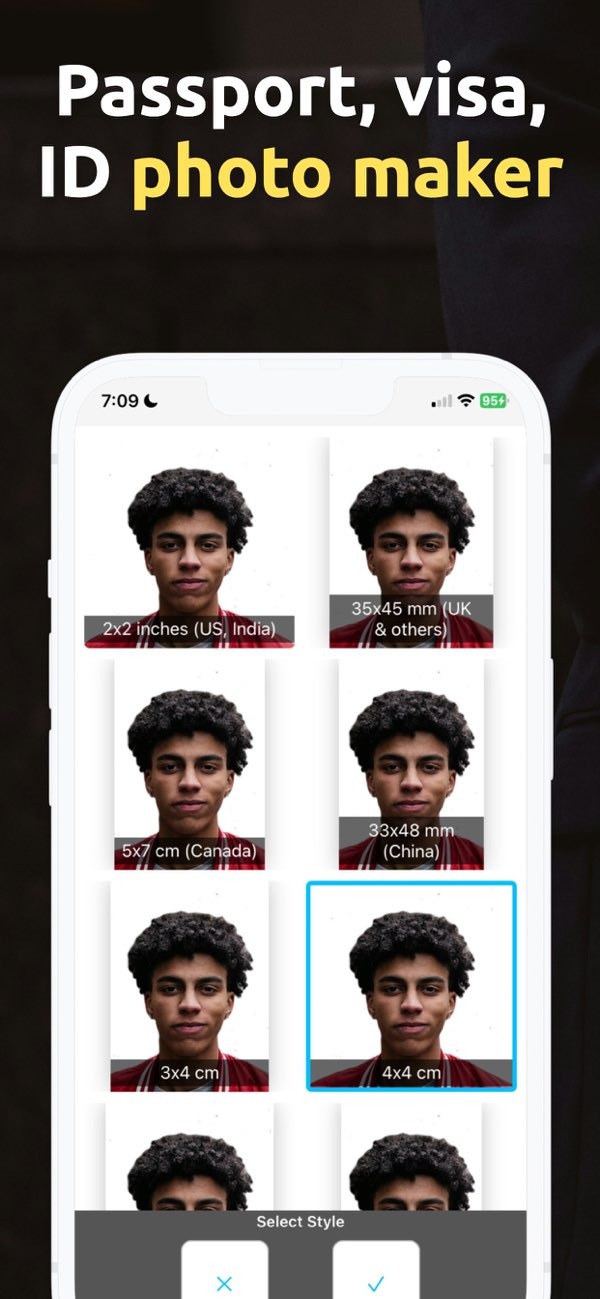
If you want a tool to edit headshots for professional use, consider PhotoToHeadshot on iOS. The app helps you create clean, professional-looking headshots with simple steps.
 |
 |
 |
A dedicated headshot editor can improve photo quality a lot. Many tools include AI features that can adjust lighting and reduce visible flaws automatically. This helps if you do not have professional camera gear or advanced editing skills.
Features of PhotoToHeadshot
PhotoToHeadshot is an AI-powered app made to create professional business photos. It includes features that can help you improve your headshots:
- AI Headshot Generation: The app uses AI to generate headshots that fit professional use.
- Background and Lighting Adjustments: It offers clean backgrounds and studio-style lighting so your photos look neat and polished.
- Multiple Size Options: The app supports different sizes for passport, visa, and ID photos.
- Social Media and Professional Profiles: It works well for profile photos on social media and professional sites like LinkedIn.
How to Use PhotoToHeadshot
PhotoToHeadshot is easy to use. Follow these steps to get started:
- Download the App: Install PhotoToHeadshot from the iOS App Store.
- Upload Your Photo: Pick a photo from your gallery that you want to edit.
- Select Editing Options: Use the tools to adjust lighting, remove blemishes, and change the background.
- Choose Output Size: Choose the size you need, such as passport, ID, or a social media profile.
- Save and Share: When you are happy with the result, save the photo and share it from the app.
Benefits of Using a Headshot Editor
Using a headshot editor like PhotoToHeadshot has several benefits:
- Professional Quality: Create studio-style photos without buying expensive equipment.
- Time Efficiency: Edit and improve photos quickly, which can save time compared to manual editing.
- Cost-Effective: Reduce costs that may come with hiring a professional photographer.
- Customization: Adjust your photos to match specific professional needs.
Common Mistakes in Headshot Editing
When you edit headshots, avoid common issues that can make a photo look less professional:
- Over-Editing: Too many filters or heavy edits can make a photo look fake or unnatural.
- Ignoring Backgrounds: A busy or distracting background can lower the quality of a headshot.
- Poor Lighting: Weak lighting can create shadows and make the image look unclear.
Limitations and Trade-offs
Headshot editors can be helpful, but they also come with limits and trade-offs:
- AI Limitations: AI can improve photos, but it may not always match human judgment.
- Quality vs. Convenience: Automated tools are convenient, but they may not reach the same level as a professional photographer.
- Learning Curve: Some people may need time to learn the app’s tools and settings.
Frequently Asked Questions
For more details about PhotoToHeadshot and other apps, visit the Editr Apps website.
Want to improve your professional headshot? Download PhotoToHeadshot on iOS and start creating professional headshots with simple edits.

