
How can I create a professional corporate headshot online?
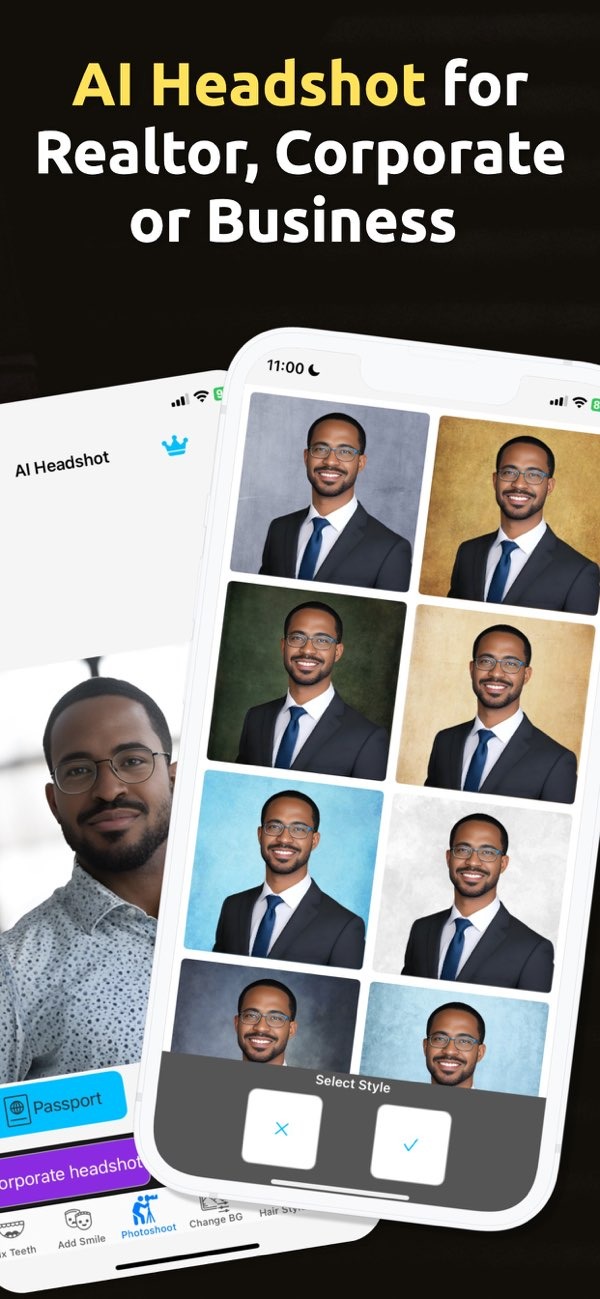
Creating a professional corporate headshot online is easier than ever with tools like PhotoToHeadshot on iOS. This app uses AI to turn your photos into polished headshots for business profiles, resumes, and social media.
 |
 |
Understanding the Importance of a Corporate Headshot
A corporate headshot is a visual snapshot of your professional identity. It is often the first thing employers, clients, or colleagues see. A strong headshot can show professionalism, confidence, and approachability. In today’s digital world, a professional headshot matters for LinkedIn profiles, company websites, and networking platforms.
As remote work and online networking grow, the need for high-quality corporate headshots has also grown. Professionals in many fields, including real estate, public relations, and technology, see the value of a clear visual presence. A corporate headshot is more than a photo. It is a practical tool that can support your personal brand.
Why Use AI for Creating Corporate Headshots?
AI has changed how people create corporate headshots. AI-powered apps like PhotoToHeadshot offer benefits compared to traditional photography. They are convenient, often cost less, and can still produce high-quality results. This makes them a good option for professionals who want to refresh their headshots.
A major benefit of AI headshots is that you can get clean backgrounds and studio-style lighting. This helps keep attention on your face and improves the overall look. AI tools can also make quick adjustments, such as improving lighting and smoothing small flaws, to create a neat and professional result.

How AI Enhances Headshot Quality
AI can retouch photos automatically by reducing blemishes and fixing lighting for a more balanced image. It can also create different backgrounds and lighting styles. This lets you try several looks without needing a studio.
Many AI tools are also easy to use. You do not need photography skills to get good results. This makes professional-looking headshots more accessible and easier to create.
Step-by-Step Guide to Creating a Corporate Headshot with PhotoToHeadshot
Creating a corporate headshot with PhotoToHeadshot is simple. Here is a step-by-step guide to help you begin:
Step 1: Download and Install the App
Download the PhotoToHeadshot app from the iOS App Store. After it installs, open the app and take a moment to review the interface.
Step 2: Choose or Capture a Photo
Upload a photo you already have, or take a new one in the app. Make sure the lighting is good and your face is easy to see. For corporate headshots, a neutral expression often works well.
Step 3: Customize Your Headshot
Use the app’s AI tools to improve your photo. You can adjust the background and lighting, and you can retouch small imperfections. The app includes several options so you can match your style and needs.

Step 4: Save and Share Your Headshot
When you are happy with the result, save your headshot. You can use it on LinkedIn, on your resume, or on other professional platforms. The app also makes it easy to share the image from your device.
Common Mistakes to Avoid
When creating a corporate headshot, avoid a few common mistakes. One common issue is using a photo with a busy background. This can pull attention away from you. A clean, simple background usually works best and keeps the focus on your face.
Another mistake is editing too much. AI tools can be powerful, but your headshot should still look like you. Too much editing can make the image look unnatural and may not represent you accurately.
Also, make sure your clothing fits your industry. A corporate headshot should match your work setting, so choose attire that looks professional for your role.
Limitations and Trade-offs of AI Headshots
AI headshots have many benefits, but they also come with limits. An AI-generated image may not have the same personal touch as a photo taken by a professional photographer. AI tools may also miss small details in lighting and expression that a human photographer would notice.
For many professionals, the convenience and lower cost of AI headshots make these trade-offs acceptable. Consider the pros and cons based on your goals and situation.
Frequently Asked Questions
Conclusion
Creating a professional corporate headshot online is simple and efficient with AI tools like PhotoToHeadshot. By following the steps above, you can create a high-quality image that supports your professional presence. To learn more about AI headshot technology, visit Editr Apps.
Ready to create your corporate headshot? Download PhotoToHeadshot on iOS today and take the first step toward a polished professional image.
