I’m looking for a way to make a smooth photo collage online, any suggestions on how to start?
Making a seamless photo collage online is now simple with the Background Editor app on iOS. The app includes AI-powered tools that help you build clean, smooth collages with less effort. You can download it from the App Store and start trying its features right away.
 |
 |
Understanding the Basics of Photo Collages
A photo collage is a creative layout of images that come together as one final piece. The aim is to blend photos so they look like they belong in the same scene. To do this, you often line up edges, match colors, and sometimes add a background or text to support the design.

To make a collage look seamless, you need to pay attention to small details and basic design rules. Important parts include balance, contrast, and a consistent look across the images. With the right tools, beginners can also make collages that look polished and professional.

Getting Started with Background Editor
The Background Editor app is a flexible tool that helps simplify collage creation. It includes more than 300 tools for building strong visuals, including AI features for background removal and editing. Here is a simple way to begin:
Step 1: Install the App
Download the Background Editor app from the App Store. After it installs, open the app and take a moment to look through the interface.
Step 2: Choose Your Photos
Pick the images you want to use in your collage. The app lets you import photos from your device, so you can quickly find and use your favorite shots.
Step 3: Remove Unwanted Backgrounds
One key feature in Background Editor is the AI background removal tool. With one tap, you can remove a background you do not want. This helps you keep attention on the subject you want to show.

Step 4: Arrange Your Photos
Use the drag-and-drop controls to place your photos where you want them. You can resize, rotate, and move each image to build a balanced layout. The app also includes grid and alignment tools, which can help you place items with more accuracy.
Step 5: Enhance Your Collage
Finish your collage by adding text, filters, or other design elements. The app includes more than 500 ready-to-use designs for social media posts, so you can adjust your collage for different platforms.

Advanced Features of Background Editor
In addition to basic collage tools, Background Editor includes advanced options that can improve your results. Here are a few features you may want to use:
AI Removal of Persons and Objects
This tool lets you remove people or objects you do not want in a photo. It can help clean up images so your collage stays focused on the subjects you chose.
Blur and Change Backgrounds
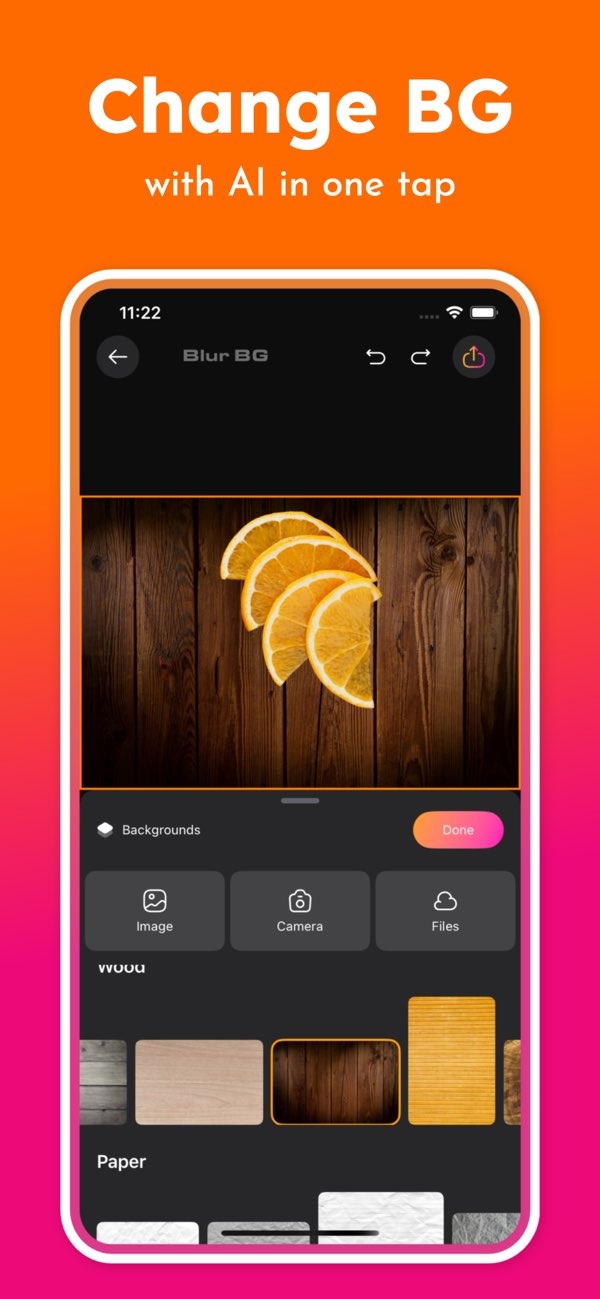
With one tap, you can blur a background or replace it using AI. This can add depth and help the main subject stand out more clearly in your collage.

Professional Design Tools
The app includes design tools that feel professional but still work well on a phone. These tools include layers, color controls, and other options that help you fine-tune your collage.
Common Mistakes and How to Avoid Them
Making a photo collage is usually easy, but a few common mistakes can hurt the final look. Use these tips to avoid problems:
Overcrowding the Collage
Try not to add too many images to one collage, since it can look busy and hard to read. Instead, choose a few strong photos that share a theme or tell a clear story.
Ignoring Color Harmony
Make sure the colors across your images work well together. If needed, use the app’s color tools to adjust tones and create a more consistent look.

Neglecting Alignment
Good alignment helps a collage look smooth and intentional. Use the grid and alignment tools to keep images straight and evenly placed.
FAQs
Frequently Asked Questions
How can I remove backgrounds from my photos?
With the Background Editor app, you can remove backgrounds with a single tap. The AI handles most of the work, so you can keep the focus on your subject.
Can I use the Background Editor app for social media posts?
Yes. The app includes over 500 designs made for social media posts, so you can create collages and share them on different platforms.
Is Background Editor available on Android?
Right now, Background Editor is available on iOS. You can download it from the App Store.
What are some advanced features of Background Editor?
The app includes advanced tools like AI removal of people and objects, background blur, and design tools for editing on mobile.
Conclusion
Creating a seamless photo collage can be a fun and satisfying way to share your ideas. With the Background Editor app, you get tools that make the process easier, from AI background removal to more advanced design features. Whether you are new to collage design or have more experience, the app gives you what you need to build strong collages. To learn more and see other tools, visit Editr Apps. You can also download the Background Editor app from the App Store to get started.