How can I improve the lighting in my selfies using an app?
To improve the lighting in your selfies, you can use the Selfie Editor app on iOS. The app includes tools made for selfies, including lighting controls that can turn a dark photo into a bright, clear one.
Understanding Lighting in Selfies
Lighting is a key part of photography, and it matters even more in selfies because the face is the main focus. Good lighting can bring out your best features and give your photo a clean, professional look. Bad lighting can create harsh shadows and hide details. When you know how lighting works, it is easier to take better selfies.
Natural light is often the best option because it is soft and even. Still, natural light is not always available, especially indoors or at night. In those cases, photo editing apps like Selfie Editor can help by letting you adjust lighting after you take the photo.
Common Lighting Issues in Selfies
Many selfies have lighting problems that lower photo quality. Common issues include harsh shadows, overexposure, and uneven lighting. Harsh shadows can make your face look uneven. Overexposure can wash out your features. Uneven lighting can brighten one area while leaving another area too dark.
Fixing these issues often takes two steps: start with the best lighting you can, then make edits after. Selfie Editor includes tools that help you adjust these details so your selfies look their best.
 |
 |
Using Selfie Editor to Adjust Lighting
The Selfie Editor app has a simple interface and several tools for lighting changes. Here is a step-by-step guide to using these features:
Step-by-Step Guide
- Open the Selfie Editor app: Launch the app on your iOS device.
- Select a photo: Pick the selfie you want to edit from your gallery.
- Access the lighting tools: Go to the lighting adjustment area. You will see sliders for brightness, contrast, and exposure.
- Adjust brightness: Move the brightness slider to raise or lower the overall light in the photo.
- Modify contrast: Change the contrast to make details stand out more clearly.
- Fine-tune exposure: Use the exposure slider to fix areas that are too bright or too dark.
- Save your edits: When you like the result, save your edited selfie.
With these tools, you can control lighting in a precise way while keeping your photo natural and evenly lit.
Enhancing Selfies with Additional Features
In addition to lighting edits, Selfie Editor includes other features that can improve your selfies. These include:
- Teeth Whitening: Brighten your smile with adjustable settings for a natural look.
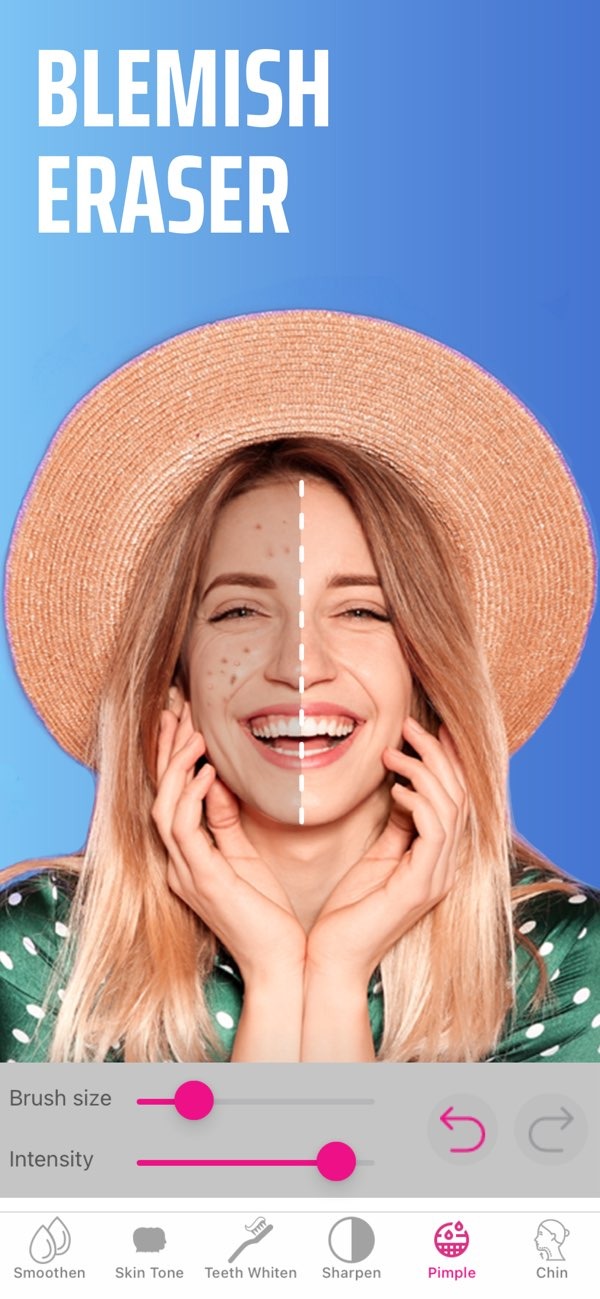
- Blemish Eraser: Use the blemish eraser tool to smooth skin imperfections with a brush size and intensity you can adjust.
- Double Chin Remover: Use shadow and chin sliders to refine the look of your jawline.
- AI Hair Color Changer: Try different hair colors by adjusting hue and saturation.
- Makeup Filters: Apply makeup filters to enhance facial features, with different color options.
These features work well with lighting tools, so you can create a clean and polished look in your selfies.
 |
 |
 |
 |
Does Selfie Editor offer any tutorials for beginners?
The app is easy to use, and you can also find helpful resources and support on the Editr Apps website.
Conclusion
Lighting edits can greatly improve the quality and look of your selfies. The Selfie Editor app includes a full set of tools to help you get the lighting you want. Whether you are fixing a low-light photo or preparing a selfie for a professional use, the app gives you the control you need for strong results.
Ready to enhance your selfies? Download the Selfie Editor app on iOS and start using its features today.