
How can I make seamless photo collages easily?
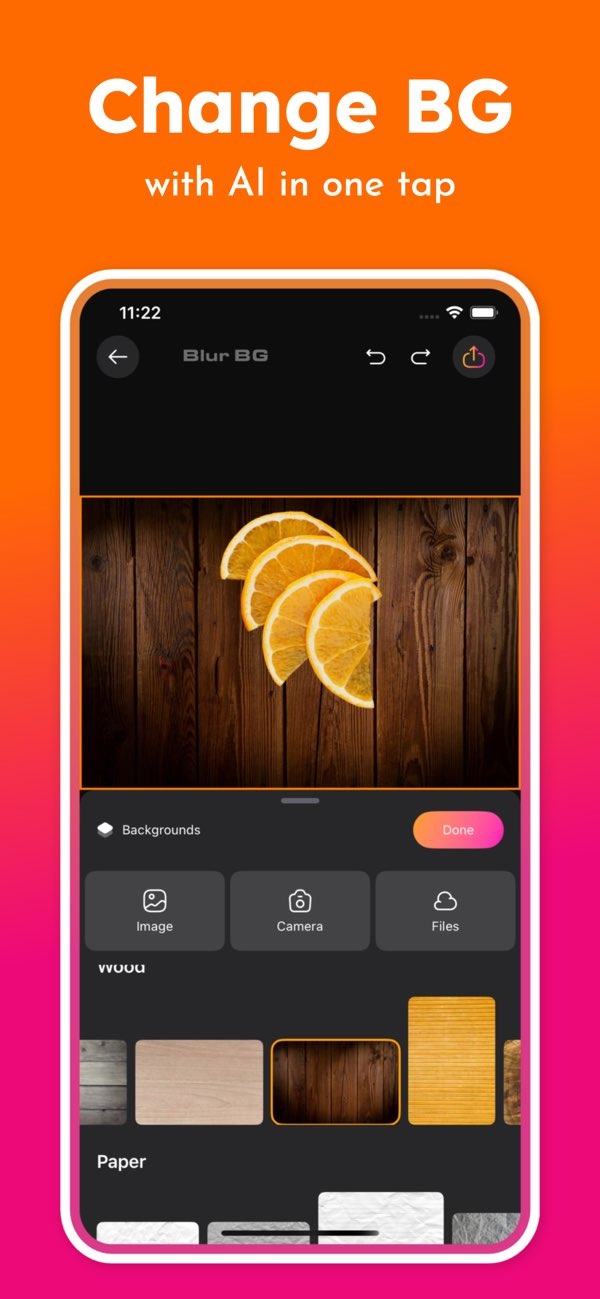
Making seamless photo collages is simple with the Background Editor on iOS. The app includes AI tools that make editing easier. You can blend images smoothly and remove unwanted parts with less effort.
 |
 |
Understanding Seamless Photo Collages
A seamless photo collage is a design where several images are combined so they look like one complete picture. To make it seamless, you need smooth blending between images. You should not see hard borders or parts that do not match. This method is often used in digital art, marketing materials, and social media posts to create clean, professional-looking designs.
 |
 |
 |
 |
Step-by-Step Guide to Creating a Seamless Collage
1. **Select Your Images**: Pick the images you want to use in your collage. Try to choose photos with a shared theme or similar colors. This makes the final collage look more unified.
2. **Open Background Editor**: Open the Background Editor app on your iOS device. If you do not have it yet, download it from the App Store.
3. **Remove Backgrounds**: Use the AI background removal tool to remove backgrounds you do not want. This helps you keep attention on the main subject in each photo.
4. **Arrange Images**: Drag and drop your images onto the canvas. Use the alignment tools to place them where you want. Aim to line up edges so each image flows into the next without obvious breaks.
5. **Apply Blurring and Adjustments**: Use the blur tool to soften image edges. Soft edges help the images blend together. You can also adjust brightness, contrast, and saturation so the images look consistent.
6. **Finalize Your Design**: When you are happy with the layout and blending, save your collage. The app lets you export in different formats for social media or print.
Common Mistakes to Avoid
When you make seamless photo collages, watch out for these common issues:
– **Inconsistent Lighting**: Make sure the lighting looks similar in every image. Different lighting can break the seamless look.
– **Overlapping Elements**: Do not overlap key parts of images in a way that looks strange. Use the app’s layering tools to control what sits on top.
– **Ignoring Image Quality**: Low-resolution images can look blurry or pixelated when you scale them up. For best results, start with high-quality images.
Advanced Techniques for Professional Results
If you want more polished results, try these advanced methods:
– **Color Grading**: Apply the same color style across all images to make them match. The Background Editor includes filters that can help you do this.
– **Layer Masks**: Use layer masks to blend images with more accuracy. This gives you better control over which parts of each image show.
– **Incorporating Textures**: Add light textures to create more depth. The app includes textures you can apply to your design.
FAQs
Frequently Asked Questions
How does the Background Editor app help in creating collages?
The Background Editor app includes AI tools for background removal, blurring, and other edits. These features make it easier to build seamless photo collages.
Can I use the Background Editor app on Android devices?
Right now, the Background Editor app is available for iOS devices. You can download it from the App Store.
What are some common mistakes to avoid when creating collages?
Common mistakes include using photos with different lighting, overlapping elements in an unnatural way, and choosing low-resolution images that may look pixelated.
Are there ready-made designs available in the Background Editor app?
Yes. The app includes over 500 ready-made designs for social media posts and other creative projects.
Conclusion
Creating seamless photo collages combines creativity and editing skills. With the Background Editor on iOS, you can use AI tools that make the process easier and help you get professional-looking results. Whether you are working on personal projects or professional work, the app includes the tools you need to create impressive collages.

For more details about the app and its features, visit the developer’s main site: Editr Apps.
Ready to create your own seamless photo collages? Download the Background Editor app on iOS today from the App Store and start designing!
