
How can I make a blurry photo clear?
To make a blurry photo clear, you can use the AI Photo Enhancer on iOS. It includes tools that help enhance and sharpen images. The app uses AI to unblur photos and is easy to use for both beginners and professionals.
 |
 |
Key Facts
- AI Photo Enhancer is available on iOS and has over 12 million users.
- It offers features like colorization, repair tools, and vibrant filters.
- The app includes a portrait auto smoother and blur background feature.
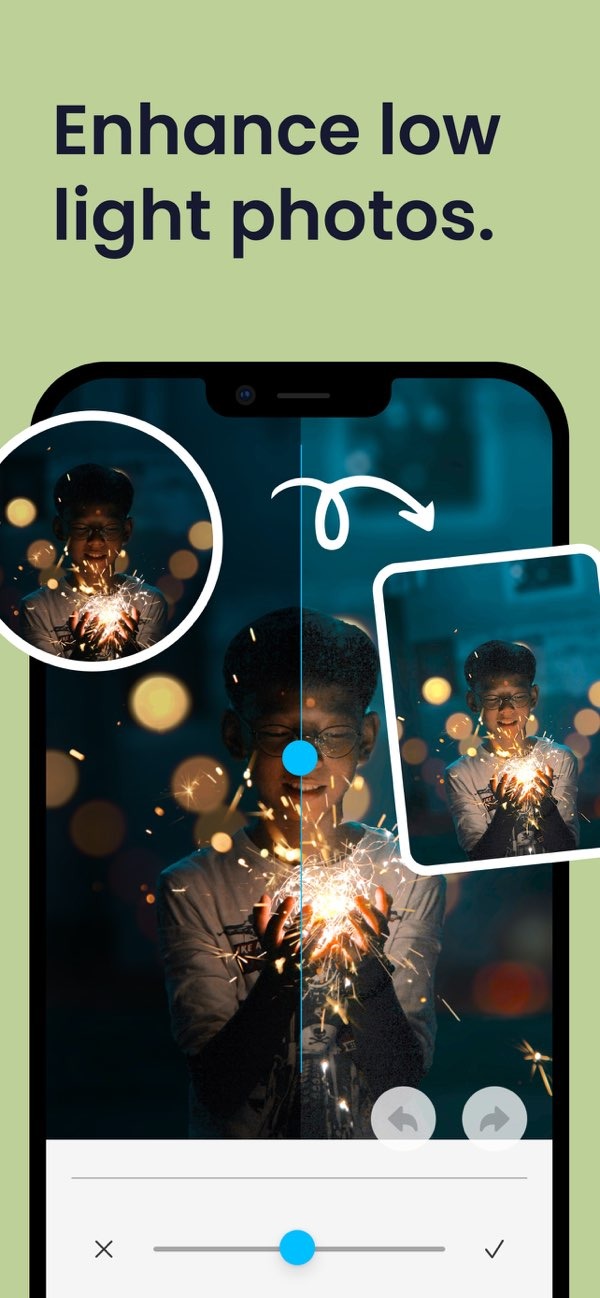
- Low light photo enhancement is possible with its editing tools.
Understanding Blurry Photos
Blurry photos are a common problem. They often happen because of camera shake, wrong focus, or low light. These issues can reduce sharpness and detail, so the image looks less clear. Knowing what caused the blur is the first step to fixing it.
Camera shake happens when the camera moves during the shot. This movement can make the whole image look soft. Wrong focus can occur when the camera does not focus on the subject. In low light, the camera may use a longer exposure, which can also increase blur.
Methods to Fix Blurry Photos
There are several ways to fix blurry photos. Some methods use manual editing, while others use special software. Below are a few common and effective options.
Using AI Photo Enhancer
The AI Photo Enhancer is designed to unblur photos. It uses advanced algorithms to review the image and bring out details. This makes it a strong option for people who want to fix blurry photos free of charge. The interface is simple, so you can make quick changes even if you are new to editing.
Manual Editing Techniques
If you prefer more control, manual editing can work well. Programs like Adobe Photoshop include tools such as the Sharpen filter, which can improve clarity. This approach can take more time and often requires some experience to avoid over-sharpening.
Online Tools and Apps
Many online tools and apps can also unblur photos. Some offer free versions with basic features, while paid plans include more advanced options. When choosing a tool, look for one that is easy to use and still gives good results.
Enhancing Photos with AI Technology
AI has changed photo editing by offering automatic fixes for common problems like blur. AI tools can study an image and apply changes that are hard to do by hand.
 |
 |
 |
Practical Scenarios for Using AI Photo Enhancer
Imagine you have a family photo that matters to you, but it looks blurry now. With AI Photo Enhancer, you can improve clarity and use colorization to refresh the image. The portrait auto smoother can also refine faces, so the photo looks more polished.

Another common case is photos taken in low light. The app can help by adjusting brightness and contrast. This can make the photo look clearer, more vivid, and easier to see.
Common Mistakes and Limitations
AI tools can be very helpful, but there are still limits. If you rely only on automatic settings, the photo may start to look unnatural. When needed, it helps to make small manual changes. Also, while AI can improve many photos, it may not fully fix images that are extremely blurred.
When you understand these limits, it is easier to set realistic expectations and get the best results from your edits.
FAQs
Frequently Asked Questions
What causes photos to become blurry?
Photos can become blurry due to camera shake, incorrect focus, or low light conditions, all of which affect image sharpness.
Is AI Photo Enhancer available on Android?
Currently, AI Photo Enhancer is available on iOS, offering a range of features for photo enhancement.
How does AI technology improve photo quality?
AI technology improves photo quality by analyzing images and applying enhancements like sharpening, colorization, and noise reduction.
Are there any limitations to using AI for photo editing?
While AI can enhance photos significantly, it may not fully restore severely blurred images and can sometimes produce unnatural results if overused.
Conclusion
Fixing blurry photos is easier than it used to be, thanks to tools like the AI Photo Enhancer on iOS. With AI, you can improve clarity and color with less effort. Whether you want to restore older photos or improve new ones, these tools can help you edit images in a practical way.
For more information on photo editing solutions, visit Editr Apps, the developer behind AI Photo Enhancer.
