
How can I create a unique pregnancy announcement online?
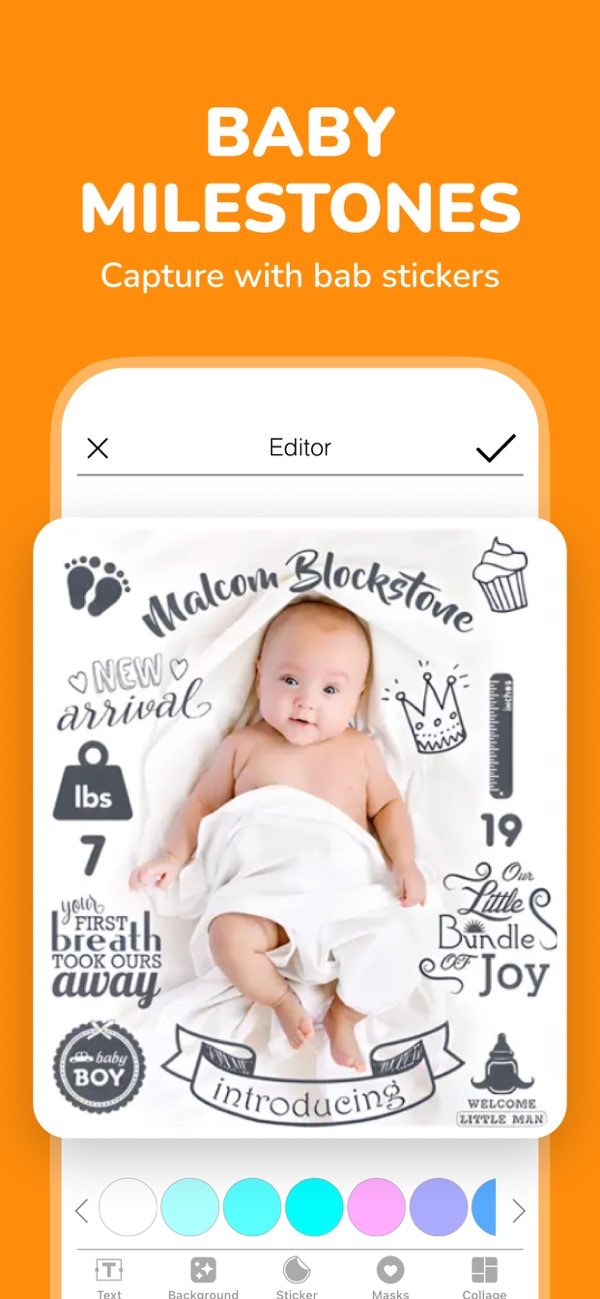
Creating a unique pregnancy announcement online can feel exciting and meaningful. With the Pregnancy announcement on iOS, you can create a personal announcement using features like baby birth stickers, custom text, and more.
 |
 |
Why Choose an Online Pregnancy Announcement?
Sharing your pregnancy online has several benefits. You can reach many people fast and with little effort. You can also share your announcement on social media, so friends and family can get the news at the same time. Online announcements are easy to personalize, so they can match your style and personality.
Online pregnancy announcements also let you add media like photos, videos, and music. These details can make the message feel more emotional and more personal. You can also save your digital announcement and look back on it later. That makes it a lasting keepsake from this special time.
Using Pregnancy Announcement Apps
Apps like Pregnancy announcement on iOS offer a simple way to create pregnancy announcements. Many apps include templates, stickers, and text styles that you can adjust to fit your needs. With over 1 million parents using these tools, they are a popular option for making unique announcements.

A helpful feature in these apps is the option to add baby birth and weekly stickers to your photos. These stickers can mark key moments in your pregnancy, which adds a personal touch. Many apps also include an AI name finder. This tool can help you explore and choose a baby name.

Step-by-Step Guide to Creating Your Announcement
- Download the App: Download the Pregnancy announcement on iOS from the App Store.
- Select a Template: Pick a template that fits your style and the message you want to share.
- Customize Your Design: Add stickers, text, and other design details to make the announcement your own.
- Include Personal Photos: Upload photos from your pregnancy, such as ultrasound images or maternity photos.
- Share Your Announcement: When you are happy with the design, share it on social media or send it to friends and family.
Creative Ideas for Your Announcement
To create a memorable pregnancy announcement, focus on creativity. Try using a theme that matches your interests or hobbies. For example, if you and your partner love travel, you could design an announcement that looks like a travel postcard. If you enjoy cooking, a recipe-style announcement can be a fun and different idea.
You can also include siblings or pets in your announcement. This can make the message feel warm and personal. For example, you could take a photo of your child holding a sign that says “Big Brother/Sister.” Or you could include your pet in a family photo and add a playful caption.
Common Mistakes to Avoid
As you create your announcement, watch out for common mistakes. One issue is adding too many design elements, which can make the image look busy. Instead, aim for a clean look. Choose a few key elements that work well together.
Another common mistake is skipping proofreading. Check your text for spelling and grammar before you share it. This helps your announcement look clear and polished.
Frequently Asked Questions
How can I make my pregnancy announcement stand out on social media?
Use clear, high-quality images, creative captions, and personal design details. Strong visuals and a heartfelt message can help people notice your post.
What should I include in my pregnancy announcement?
Include personal photos, a creative theme, and key details like your due date. Custom text and stickers can also improve the final design.
Are there any tools to help with baby name selection?
Yes. Many pregnancy announcement apps include AI name finders that can help you choose a name for your baby.
Can I create a pregnancy announcement without design experience?
Yes. Apps like Pregnancy announcement on iOS include simple tools and templates, so you can create a nice announcement even without design skills.
Conclusion
Creating a unique pregnancy announcement online is a great way to share your news with the people you care about. With apps like Pregnancy announcement on iOS, you can make a personal announcement that matches your style and feels memorable. You can use a theme, include family members, or add media like photos and videos. There are many ways to make it your own.
For more information and tools to support your pregnancy announcement, visit the Editr Apps website. You can find options that help you make your announcement feel special and easy to share.
