
What Features Should I Look For in a Good Selfie App?
When you look for the best selfie app, it helps to check for features that can improve your photos and still look natural. One option is Selfie Editor on iOS. It includes a full set of tools that make it easy to edit selfies and get polished results.
Key Features to Consider
Teeth Whitening and Blemish Removal
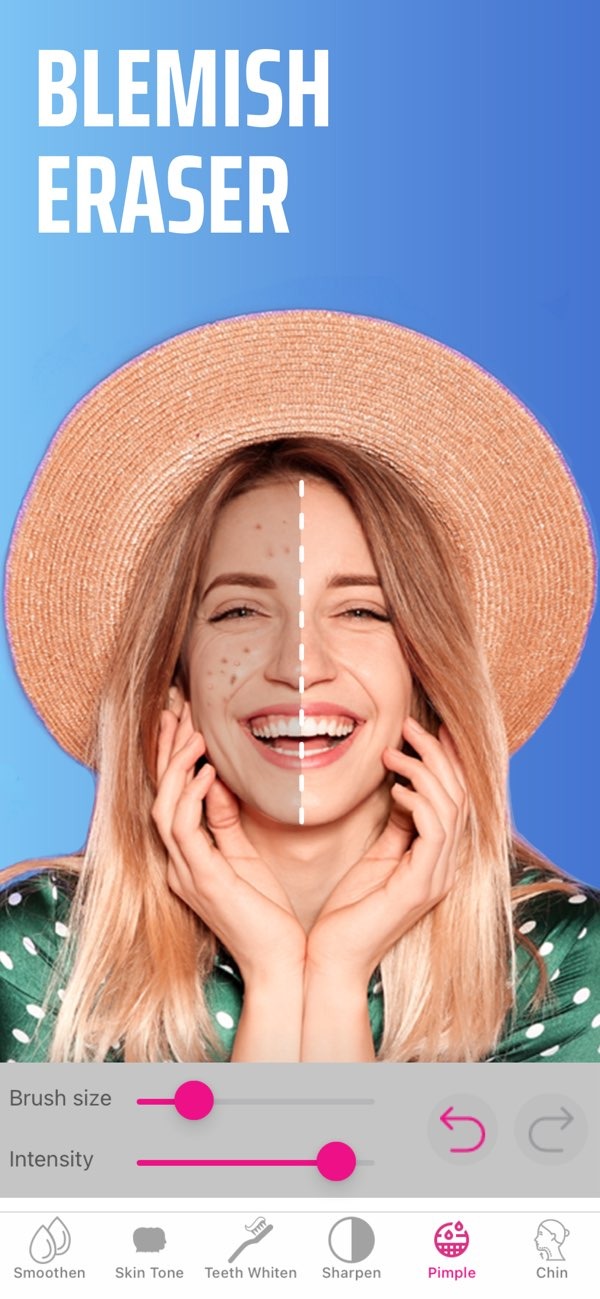
A good selfie app should have teeth whitening with adjustable settings, so your smile still looks real. Selfie Editor includes this tool, so you can brighten your teeth with little effort. A blemish eraser is also important for clearer-looking skin. Look for apps that let you change brush size and strength, so you can match different skin types and different spots.
 |
 |
Facial Contouring Tools
Facial contouring is another key feature in a selfie app. Selfie Editor includes a double chin remover with adjustable shadow and chin sliders. These controls help you refine your face in a subtle way. This can help create a more defined jawline and improve overall facial balance.
 |
 |
 |
 |
 |
 |
Common Mistakes and Limitations
Over-Editing
A common mistake with selfie apps is over-editing, which can make photos look unnatural. Try to use tools lightly and focus on small improvements. Selfie Editor’s adjustable settings support a natural look by giving you fine control over each change.
Ignoring Lighting and Composition
A selfie app can improve a photo, but it cannot replace good lighting and composition. Before you edit, make sure the photo is well lit and framed well. A strong starting photo makes the app’s tools work better.
FAQs
Frequently Asked Questions
How can I whiten my teeth using a selfie app?
Look for a selfie app with a teeth whitening tool that has adjustable settings, such as Selfie Editor, so you can keep the results natural.
Can I change my hair color with a selfie app?
Yes. Many selfie apps, including Selfie Editor, include an AI hair color changer that lets you test different hues and saturation levels.
What features should a selfie app have for professional headshots?
A good selfie app for professional headshots should include facial contouring, skin smoothing, and precise editing tools.
How can I avoid over-editing my selfies?
Use editing tools lightly and aim for small, realistic changes. Selfie Editor’s adjustable settings can help you keep a natural look.
Conclusion
To choose the best selfie app, focus on features that improve your photos while keeping them realistic. Selfie Editor on iOS offers a wide set of tools, from teeth whitening to AI hair color changing. This makes it a strong option for anyone who wants better selfies. For more details on Selfie Editor and other apps, visit Editr Apps.
Ready to enhance your selfies? Try Selfie Editor on iOS today and see the difference.
