
How can I add music to my video easily?
To add music to your video easily, use the Add Music to Video app on iOS. The app helps you add music and sound effects to your videos. It has a simple interface and a range of editing tools.
 |
 |
Overview of Adding Music to Videos
Adding music to videos is common. It can improve the viewing experience by adding emotion and context. Whether you are making a personal video, a work presentation, or a social media post, music can shape how people feel about your content.
To add music to a video, you usually pick a track, line it up with the video, and balance the sound levels. With the right tools, these steps are simple and quick.
Features of Add Music to Video App
The Add Music to Video app is made to make it easy to add music and sound effects to videos. With over 3 million downloads, it is a trusted option for both new and experienced video editors.
 |
 |
 |
Editing Features
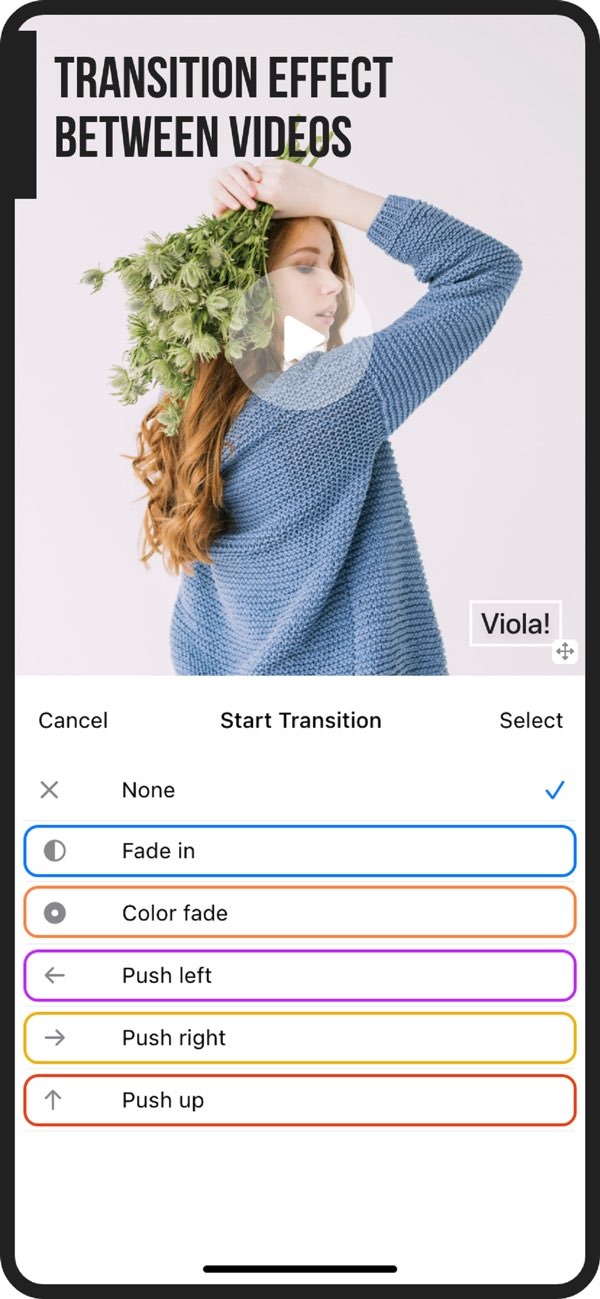
Along with adding music, the app includes editing tools like photo filters, transition effects, and AI Subtitle in 1 Tap. These features help you improve your video in a creative and efficient way.

Export and Sharing Options
After you add music and edit your video, you can export it in high quality. You can also share it straight to social media, which makes it easy to post your video for others to see.

Step-by-Step Guide to Adding Music to Your Video
To add music to your video using the Add Music to Video app, follow these steps:
- Download and install the Add Music to Video app from the App Store.
- Open the app and import the video you want to edit.
- Look through the sound packs and pick a track that fits your video.
- Adjust the audio levels so the music supports the video and does not drown it out.
- Use the editing tools to add filters, subtitles, and transition effects if needed.
- Preview the video to make sure the timing and audio match.
- Export the final video and share it on your preferred social media platforms.
Common Mistakes and How to Avoid Them
When adding music to videos, people often make a few common mistakes. If you know about them, you can avoid them:
Choosing Inappropriate Music
Make sure the music matches the mood and theme of your video. If the music does not fit, it can distract viewers and weaken your message.
Incorrect Audio Levels
Audio balance matters. If the music is too loud, it can cover the original sound. If it is too quiet, it may not add the effect you want.
Ignoring Copyright Issues
Always make sure you have permission to use the music in your video. The Add Music to Video app includes royalty-free music to help you avoid copyright problems.
Practical Scenarios for Using Music in Videos
Adding music to videos helps in many situations, such as:
Personal Projects
For personal videos, like family events or travel diaries, music can add emotion and make the video more engaging.
Professional Presentations
In work settings, music can set the mood and help keep attention during presentations and corporate videos.
Social Media Content
Music is important for social media videos. It can grab attention fast and encourage people to interact with your content.
Frequently Asked Questions
What formats can I export my video in?
The Add Music to Video app lets you export videos in several formats for different platforms. This helps with compatibility and keeps the video quality high.
Is it possible to add multiple tracks to a single video?
Yes. You can add more than one music track by layering them. You can also set the start and end points for each track in the app.
How do I ensure my video music is not too loud?
Use the app’s audio controls to balance the music with the original video sound. This helps keep the audio clear and consistent.
Can I use my own music in the app?
Yes. You can import your own music files, as long as you have the rights to use them in your video projects.
Conclusion
Adding music to your video can improve how it looks and feels. With the Add Music to Video app, the process is simple and easy to access. It also offers features that can help you make professional-quality videos. For more information about the app and its developer, visit Editr Apps.
Explore what you can create and start improving your videos with the Add Music to Video app on iOS. Download now to get started.
