
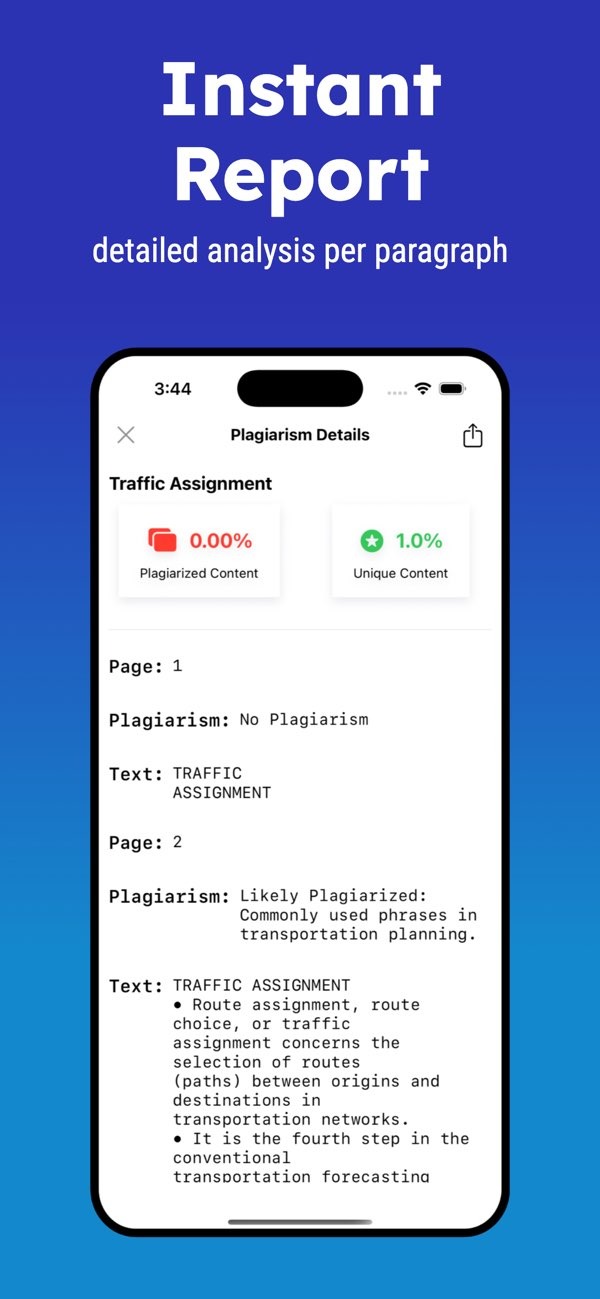
How can I check my paper for plagiarism online?
To check your paper for plagiarism online, you can use the Plagiarism Checker on iOS. This tool gives you an instant report with a detailed plagiarism check for each paragraph. It helps you confirm that your work is original.

Understanding Plagiarism and Its Implications
Plagiarism means using someone else’s words, work, or ideas without giving proper credit. This can lead to serious problems in school and at work. That is why it is important to write original content and cite the source when you use another author’s work.
In school, plagiarism can lead to penalties such as a failing grade or even expulsion. At work, it can harm your reputation and may cause legal trouble. Because of this, it is important to check your writing for plagiarism so you can protect your integrity and credibility.
How Plagiarism Checker Tools Work
Plagiarism checker tools, such as Turnitin, compare your text with a large database of academic papers, websites, and published sources. They use algorithms to find similar text and then create a report that points out possible plagiarism.
When you use a plagiarism checker, you upload your document and the tool scans it for matches. The report shows what percent of your text matches other sources and often includes links to those sources. You can then review the matches and make changes so your work is original.
Features of a Good Plagiarism Checker
A reliable plagiarism checker should offer the following features:
- A large database for a thorough comparison.
- Clear reports that highlight matching text.
- Options to rewrite or rephrase content.
- Tools to help improve readability.
- File history to track changes and share work.
Using Turnitin for Plagiarism Detection
Turnitin is one of the most common plagiarism detection tools used in schools and universities. It helps teachers and students check the originality of academic papers. It also includes features that can support better writing.

To use Turnitin, you usually need access through a school or university. After you get access, you submit your paper and Turnitin creates a similarity report. The report highlights text that matches other sources, so you can fix issues before you turn in your work.
Advantages of Using Turnitin
Turnitin offers several advantages, including:
- Access to a large database of academic and web sources.
- Detailed similarity reports with links to sources.
- Tools that support better writing and citation habits.
- Integration with learning management systems.
Alternative Tools for Checking Plagiarism
Turnitin is a popular option, but it is not the only choice. Many other tools can check for plagiarism. Some are free, while others require a paid plan. Each tool offers different features and benefits.
For example, the Plagiarism Checker on iOS has a simple interface and includes features like dark mode, instant reports, and readability tools. It can be helpful for students and professionals who want a quick and reliable way to check work while away from a computer.

Choosing the Right Tool for Your Needs
When selecting a plagiarism checker, consider the following factors:
- Database size and what sources it covers.
- Ease of use and how clear the interface is.
- Cost and subscription choices.
- Extra features like readability scores and rewriting tools.
Improving Your Writing with Plagiarism Checkers
These tools do more than find plagiarism. Many also help you improve your writing by suggesting rewrites or rephrases. Some provide readability scores, which can help you make sure your writing is easy for your audience to understand.
For example, the Plagiarism Checker app includes more than 10 readability indexes. These can help you check clarity and improve how your writing flows. This can be useful for academic and professional documents where clear writing matters.

Rewriting and Rephrasing Content
If your plagiarism report shows a high similarity score, review the highlighted parts. Then rewrite or rephrase those sections. This can lower the risk of plagiarism and also make your work more unique.

Tools that suggest rewrites can save time and can help you find new ways to express the same ideas clearly.
Frequently Asked Questions
Can I use Turnitin for free?
Turnitin is usually available through schools and universities, which may offer it at no cost to students and staff. Personal access often requires a paid subscription.
How accurate are online plagiarism checkers?
Online plagiarism checkers are often accurate, but results depend on how large and complete their databases are. Tools like Turnitin are known for broad coverage.
What should I do if my paper shows high similarity?
If your paper shows high similarity, review the highlighted text and check your citations. Then rewrite or rephrase sections as needed to ensure originality and proper credit.
Are there any free alternatives to Turnitin?
Yes. Free alternatives include Grammarly’s plagiarism checker and other online tools, but they may have limits compared to paid services.
If you want to confirm that your work is original, it helps to use a reliable plagiarism checker. You can try the Plagiarism Checker on iOS for a detailed and convenient option. For more information on writing and editing tools, visit Editr Apps.
