
How can I get rid of watermarks on my pictures?
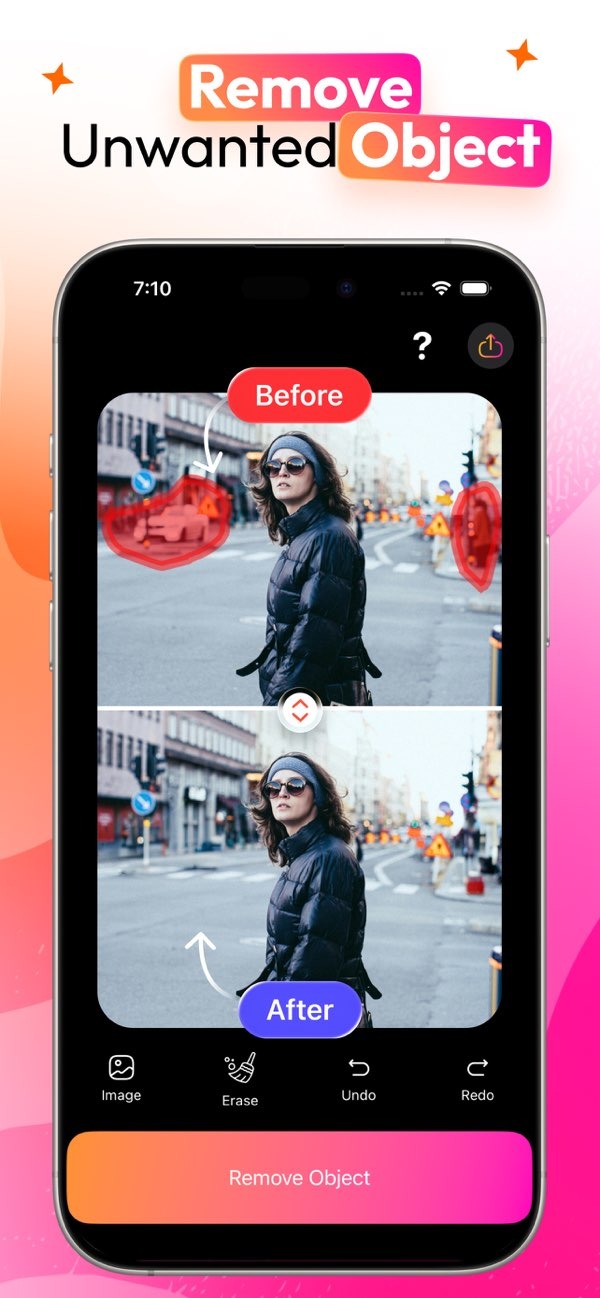
To remove watermarks from your photos, you can use the AI Magic Eraser app on iOS. The app helps you erase unwanted objects, including watermarks, from your images. You can download it from the App Store.
 |
 |
Understanding Watermarks and Their Purpose
Watermarks are often used by photographers and digital artists to protect their work from unauthorized use. They usually appear as semi-transparent logos or text placed on top of an image. While they help protect content, there are valid reasons to remove a watermark. For example, you may want to use the image for personal use, or you may have permission from the creator.
Removing a watermark can be hard without the right tools. Older methods often require advanced photo editing software, which can take time to learn. AI-powered tools like AI Magic Eraser make the process easier. This helps people with different skill levels edit photos more easily.
 |
 |
How AI Magic Eraser Works
AI Magic Eraser uses advanced algorithms to find and remove unwanted objects in photos. The app has a simple interface. You select the area with the watermark, and the AI fills in the space by blending nearby pixels.
To do this, the app analyzes the image and its surroundings. This helps the final result look natural. The app can work with different watermark styles, including text and graphic logos. This makes it a flexible option for photo editing.
Step-by-Step Guide to Using AI Magic Eraser
1. Download and install AI Magic Eraser from the App Store.
2. Open the app and import the photo you want to edit.
3. Use the selection tool to mark the watermark area.
4. Tap the erase button and let the AI remove the watermark.
5. Save and share your photo without the watermark.
Practical Scenarios for Removing Watermarks
Imagine you bought stock photos for a project, and the preview images include watermarks. If the provider allows it, you can use AI Magic Eraser to remove the watermarks. This can help you use the images more smoothly in your work.
Another case is personal photos that have watermarks added by a third-party app. If you own the rights to the photo, you can use AI Magic Eraser to clean up the image. You can then keep it for personal use or share it with friends and family.
Common Mistakes and How to Avoid Them
A common mistake is not checking the image terms of use. Before you edit, make sure you have the right to change the image. Another issue is selecting an area that is too large. This can make the edit look unnatural. For better results, use the app’s tools to select only the watermark and the smallest needed area around it.
Another problem is trusting the automatic result without checking it. After using AI Magic Eraser, review the image closely. Make sure the edit looks natural and matches what you want.
Limitations and Trade-offs
AI Magic Eraser is a strong tool, but it may not remove every watermark perfectly. This is more likely when a watermark is complex or covers a large part of the image. In these cases, you may need manual touch-ups in another editing program to get the result you want.
There is also a balance between ease of use and control. AI Magic Eraser is simple and quick. However, if you want more control, you may prefer traditional photo editing software with more detailed settings.
Conclusion
AI Magic Eraser is a simple and efficient way to remove watermarks from photos. It uses AI to make editing easier, which helps both new and experienced users. If you want to clean up your images, the app can be a practical tool.
For more information about AI Magic Eraser and other editing tools, visit the developer’s website at Editr Apps.
Frequently Asked Questions
Can AI Magic Eraser remove all types of watermarks?
AI Magic Eraser can handle many watermark types. However, complex or large watermarks may need extra manual editing for the best results.
Does AI Magic Eraser work on all devices?
AI Magic Eraser is currently available on iOS devices. You can download it from the App Store and use it on compatible Apple devices.
How does AI Magic Eraser ensure natural-looking results?
The app uses advanced AI algorithms to analyze the image and blend nearby pixels. This helps the edited area look natural and seamless.
What should I do if the watermark removal isn’t perfect?
If the result is not perfect, you can use other photo editing software for manual touch-ups to get the result you want.
For an easy and effective way to remove watermarks from your photos, try AI Magic Eraser on iOS. Download it today from the App Store and experience seamless photo editing.
