
How can I improve the quality of my photos with retouching tools?
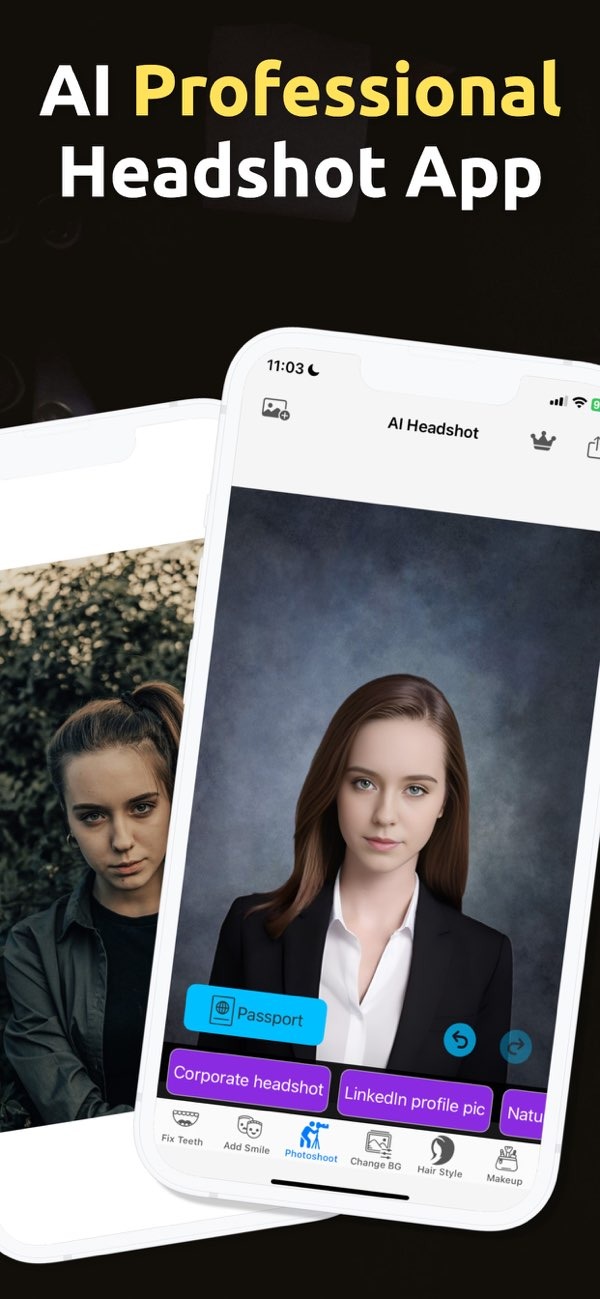
Improving the quality of your photos with retouching tools is now simple with the Selfie Editor app on iOS. This app includes tools like teeth whitening, a blemish eraser, and an AI hair color changer to improve your images. You can download it from the App Store and start editing your photos today.
 |
 |
Understanding Photo Retouching
Photo retouching means editing an image to make it look better. It can include basic changes, such as brightness and contrast, or more detailed edits, such as removing blemishes or changing hair color. Retouching is often used in portrait photos to improve facial features and create a clean, finished look.

Retouching tools come in many forms, from pro software to easy mobile apps. They help people get high-quality results without advanced photo skills. Selfie Editor is one of these apps. It offers many retouching tools in one place, so it is easy for most users to use.
Key Features of Selfie Editor
Teeth Whitening
The teeth whitening tool in Selfie Editor helps you brighten your smile with little effort. You can adjust the strength of the effect, so the result still looks natural. This tool works well for portraits and selfies, where a bright smile can stand out.
Blemish Eraser
The blemish eraser tool removes spots such as acne, scars, and other skin marks. You can change the brush size and the strength to focus on small areas. This helps you fix problem spots while keeping the skin texture looking real. The goal is a smoother, more even look in your photos.

AI Hair Color Changer
The AI hair color changer lets you try different hair colors in a photo. You can adjust hue and saturation to get the shade you want. This tool is helpful if you want to preview a new look before making a real change.
Makeup Filters
Selfie Editor also includes makeup filters that can highlight your facial features. The filters come with different color choices, so you can fine-tune your look. You can choose light changes for a natural style or stronger effects for a bold look. These filters give you many ways to edit your photos.

Enhancing Facial Features with Selfie Editor
Improving facial features is a key part of photo retouching. Selfie Editor includes tools that help you adjust how your face looks in photos. One example is the selfie face slimmer, which lets you fine-tune facial shape for a more defined look.
The face and skin smoother tool helps reduce the look of wrinkles and fine lines. It can also make skin look more even and soft. Since the settings are adjustable, you can keep the result subtle and avoid an overly edited finish.

Creating Professional Headshots
If you need professional headshots, Selfie Editor includes tools that can help you create a neat and work-ready image. Features like teeth whitening and the blemish eraser can help you look well-groomed and clear in the final photo.
When you use these retouching tools with care, your headshot can look more confident and professional. This can help you make a strong first impression in many work settings.

Common Mistakes in Photo Retouching
Photo retouching can improve an image, but some mistakes can hurt the final result. A common issue is over-editing. When you use retouching tools too much, the photo can start to look unnatural. Try to keep a balance, so the edits support the original photo instead of replacing it.
Another common mistake is ignoring the background. When you focus only on the face, it is easy to miss problems behind the subject. The background affects the full image, so it should fit the subject and support the overall look.
Limitations and Trade-offs
Retouching tools are useful, but they have limits. They can improve a photo, but they cannot replace good lighting and good framing. For the best results, start with a photo that is already clear and well composed.
Retouching can also create unrealistic expectations if it changes a person too much. It helps to aim for a real and natural look. In most cases, retouching works best when it enhances your features instead of changing them completely.
Frequently Asked Questions
How can I whiten teeth in photos?
You can whiten teeth in photos with the teeth whitening tool in Selfie Editor. It lets you adjust the strength, so your smile still looks natural.
What is the best app for photo retouching?
Selfie Editor is a popular app for photo retouching. It includes tools like a blemish eraser, an AI hair color changer, and makeup filters to improve images.
Can I change my hair color in photos?
Yes. You can change your hair color in photos with the AI hair color changer in Selfie Editor. It allows you to adjust hue and saturation to create different shades.

How do I avoid over-editing my photos?
To avoid over-editing, use retouching tools in small steps. Focus on improving natural features instead of making major changes to the original photo.
To explore these features and more, download the Selfie Editor app on iOS and start improving your photos today. For more details about the app and what it can do, visit the developer’s site at Editr Apps.
