
I’m looking for a tool to edit my photos online, can you help me find one?
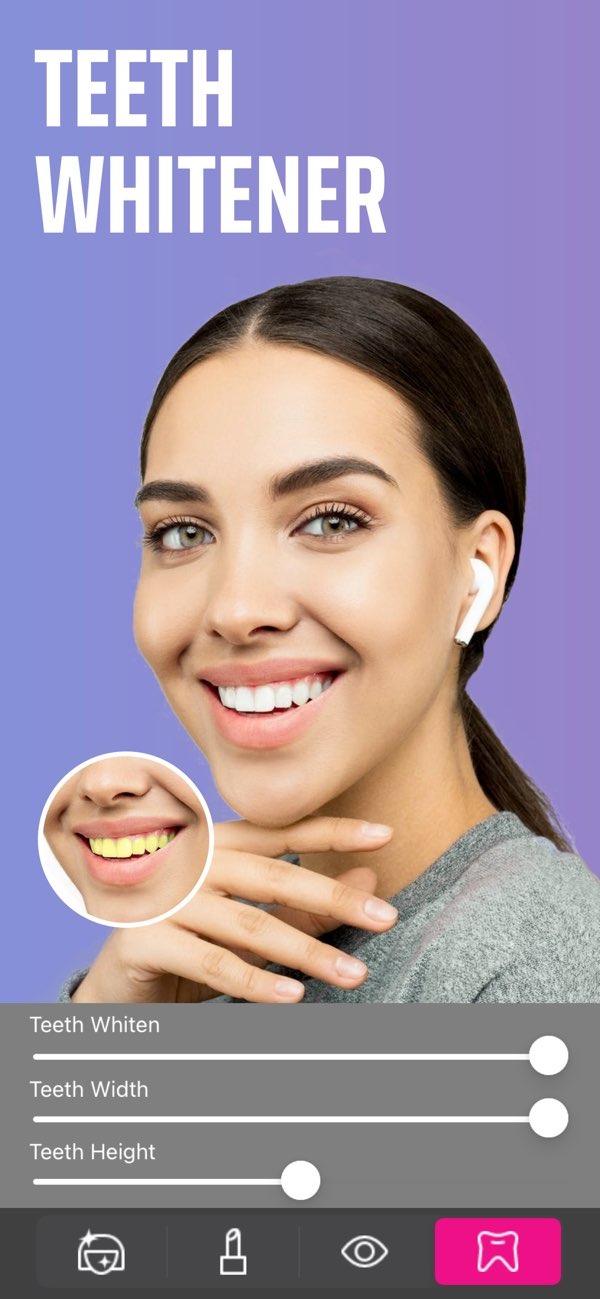
If you want a flexible tool to edit your photos online, you can try Selfie Editor on iOS. The app includes many features to improve your photos, such as teeth whitening, blemish removal, and more.
Key Features of Selfie Editor
Selfie Editor helps you create professional-looking photos with simple steps. Here are some of its main features:
Teeth Whitening
The teeth whitening tool in Selfie Editor helps you brighten your smile with little effort. It has adjustable settings, so you can choose how much whitening you want for a natural result. This feature works well for selfies and portraits.
 |
 |
 |
 |
 |
 |
 |
 |
 |
Another limitation is that some features, like the AI hair color changer, may not work the same on every hair type or in every lighting setup. You may need to try different settings to get the best result.
FAQs
Frequently Asked Questions
Is Selfie Editor free to use?
Selfie Editor offers many features for free, but some advanced tools may require in-app purchases.
How do I achieve natural-looking results with the teeth whitening tool?
For natural-looking results, increase the whitening level slowly. Compare it with the original photo as you go, so the change stays balanced.
Can I edit photos taken in low light with Selfie Editor?
Yes. Selfie Editor includes tools that can improve photos taken in low light, but results may vary based on the quality of the original image.
What should I do if the app crashes or doesn’t work properly?
If the app has problems, try restarting your device or reinstalling the app. If you still need help, visit the Editr Apps website for support.
Conclusion
Selfie Editor is a flexible tool for anyone who wants to improve photos with simple edits. With features like teeth whitening, blemish removal, and AI hair color changing, it offers a complete set of photo editing tools. Whether you are preparing a professional headshot or updating a personal photo, Selfie Editor gives you options for a polished result. To learn more, visit the Editr Apps website or download the app from the App Store.
