
I’m looking for a tool to edit my photos online, can you help me find one?
If you want a strong tool to edit your photos online, the Background Editor on iOS is a solid option. It includes many features that help you improve photos with less effort, including AI tools for editing the background.
 |
 |
Key Features of Background Editor
The Background Editor app aims to make photo editing simple. It has a clear layout and several advanced tools. Below are the main features that help it stand out:
AI Background Removal
A key feature of Background Editor is fast background removal using AI. It can separate the main subject from the background in seconds. This is helpful for work projects, product photos, or creative edits.
 |
 |
 |
Comprehensive Design Tools
The app includes more than 300 tools for creating designs. It works for beginners and for experienced designers. It also offers 500+ ready-made templates for social media posts, so you can make clean, eye-catching content faster.
 |
 |
How to Use Background Editor for Photo Editing
Background Editor is easy to use because the interface is simple. Follow these steps to get started:
Step 1: Download and Install the App
Download Background Editor from the App Store, then install it on your iOS device.
Step 2: Upload Your Photo
Open the app and upload the photo you want to edit. It supports many common image formats, so most photos will work without issues.
Step 3: Use the Background Eraser
Choose the background eraser tool to remove the background or other unwanted parts. The AI will detect the subject and remove the background for you, leaving a cleaner image.
Step 4: Apply Blur or Change Background
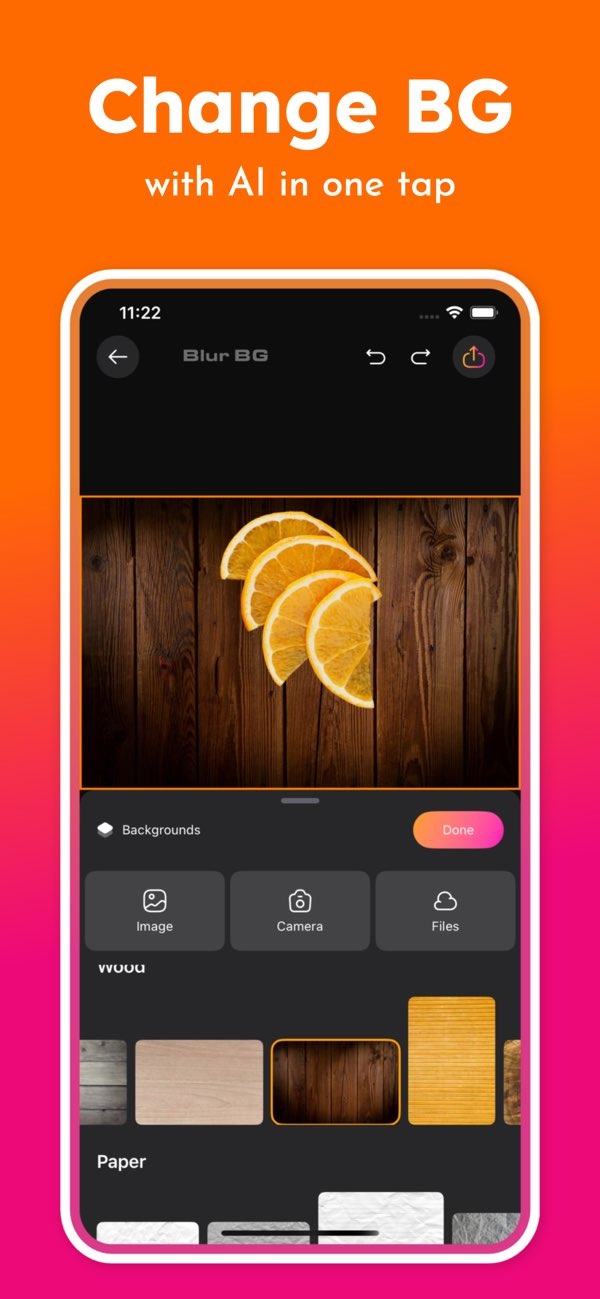
Select the blur option or the change background option to adjust the backdrop. You can pick from preset backgrounds or upload your own to get a custom look.
Step 5: Save and Share
When you are happy with the result, save the photo to your device. You can also share it straight to your social media accounts.
Common Mistakes and How to Avoid Them
When using Background Editor, some users run into a few common issues. Here are ways to avoid them:
Overusing the Blur Effect
Blur can help the subject stand out, but too much blur can look fake. Use a light blur so the photo still looks natural.
Ignoring Image Resolution
Check your image resolution before you start editing. Higher-resolution photos usually look better, especially when you remove or replace backgrounds.
Not Exploring All Features
Background Editor includes many tools that you may miss at first. Spend some time testing the features so you can get the most from the app and improve your editing skills.
FAQs
Frequently Asked Questions
Can I use the Background Editor app for professional design work?
Yes. The app has 300+ design tools and 500+ ready-made designs. This makes it useful for casual edits and for professional design tasks.

Is the Background Editor app available for Android devices?
Right now, Background Editor is available on iOS devices. Android users can visit the developer’s website to check for updates on Android availability.
How does the AI technology in the app work?
The AI in Background Editor uses advanced algorithms to find the subject and separate it from the background. It also helps with blur effects and background changes with accurate edges.
Are there any limitations to the Background Editor app?
The app includes many features, but results can depend on your device and the photo you use. For best performance, make sure your device meets the app’s requirements and try different tools to see what works best.
Conclusion
The Background Editor app on iOS is a flexible tool for people who want to edit photos online. Its AI features and large set of design tools make it useful for personal use and for professional work. To learn more, visit the App Store or the developer’s site at Editr Apps.
