
How can I align audio with video seamlessly?
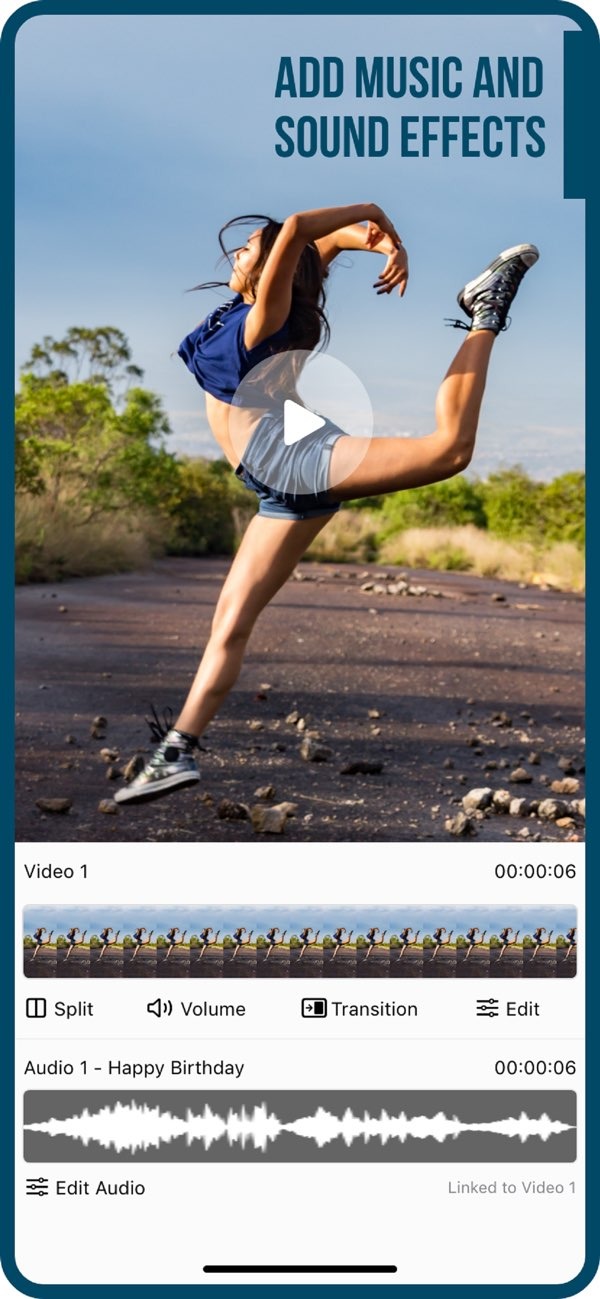
Aligning audio with video can be simple when you use the right tools. With the Add Music to Video app on iOS, you can sync audio with video in a few clear steps. The app lets you add music and sound effects to your videos, so the sound and picture work well together.
 |
 |
Understanding Audio and Video Synchronization
Audio and video synchronization, often called “syncing,” means matching the audio track to the right moments in the video. When they line up, they play together in a natural way. This matters because it supports the story and the mood you want to create. Whether you are making a music video, a vlog, or a short film, good sync helps viewers stay focused and engaged.
One common challenge is making sure audio cues match what people see on screen. To do this, you need accurate timing. In some cases, you may need to shift the audio or the video slightly to get the best match.
Common Methods for Syncing Audio with Video
There are several ways to sync audio with video. Each method has its own pros and cons. Some of the most common methods include:
- Manual Syncing: You line up the audio and video tracks by hand in editing software. This takes careful listening and close attention to detail.
- Clapboard Method: Often used in film work, a clapboard creates a clear sound and a clear visual moment. Editors use that moment to match the tracks.
- Software Automation: Many modern editing tools can sync tracks for you. They often do this by matching audio waveforms.
How to Sync Audio with Video Using Add Music to Video
The Add Music to Video app makes audio and video syncing easier. Here is a step-by-step guide to help you get smooth results:
Step 1: Import Your Video
Open the Add Music to Video app on your iOS device. Then import the video you want to edit by choosing it from your media library. The interface is easy to use, so you can find and import the right file without much effort.
Step 2: Choose Your Audio Track
After your video loads, choose the audio track you want to add. The app includes a large collection of sound packs, with many types of music and sound effects. You can also import your own audio files if you already have a specific track you want to use.
 |
 |
Step 3: Align the Audio with the Video
When both tracks are ready, start syncing. Use the editing tools to move the audio timing until it matches the video. The interface supports fine adjustments, which helps you line up key moments and get the sync you want.
Step 4: Add Effects and Filters
You can improve the final look by adding photo filters and transition effects in the app. These tools can help your video look more finished and consistent. You can also use the AI Subtitle in 1 Tap feature to add subtitles with less effort.
 |
 |
Step 5: Export and Share
When you are happy with the sync and the overall result, export the video from the app. The Add Music to Video app also includes sharing options for social media platforms, so you can post your video where you want.

Practical Scenarios and Tips
Syncing audio with video is useful in many types of projects. Here are a few examples and tips:
- Music Videos: Try to match the beat to key cuts or actions to create a stronger rhythm.
- Interviews: Accurate sync helps keep speech clear and makes the conversation feel natural.
- Vlogs: Background music should support the video, but it should not drown out the main audio.
As you sync, preview your video often so you can spot timing issues early. Also think about the mood of the audio and how it supports the story in the visuals.
Common Mistakes and How to Avoid Them
Several common issues can happen during syncing. If you know what to watch for, you can avoid many problems:
- Misalignment: Make sure key sounds match the right on-screen actions. Preview often to catch small timing errors.
- Overlapping Audio: Do not stack multiple audio tracks unless you need to. Too many layers can make the sound messy.
- Ignoring Background Noise: Background noise can distract from the main audio. If needed, use noise reduction tools to reduce it.
Limitations and Trade-offs
While the Add Music to Video app includes many features for syncing audio with video, it also has limits. It is built to be easy to use, so it may not include some advanced tools found in professional editing software. Still, for many casual and semi-professional projects, it offers enough features to produce strong results.
Another factor is the balance between ease of use and control. Automated tools can save time, but they may offer fewer detailed options than manual editing. Think about your project needs and decide which approach fits best.

Conclusion
Syncing audio with video is an important skill for making clear and engaging content. With the Add Music to Video app on iOS, you can create smooth synchronization without a complex workflow. The app’s simple interface and wide set of features make it useful for beginners and experienced editors. For more details about the app and its features, visit the Editr Apps website.
Frequently Asked Questions
Can I use my own music with Add Music to Video?
Yes. You can import your own audio files into the Add Music to Video app, so you can use custom music tracks in your videos.
Is Add Music to Video available on Android?
Right now, Add Music to Video is available on iOS. Check the app store for availability on other platforms.
Does the app support exporting in high resolution?
Yes. The Add Music to Video app supports exporting videos in high resolution, so your final video can look professional.
Are there any costs associated with using Add Music to Video?
The app may include in-app purchases for extra features or content packs. Check the app store for current pricing details.
If you’re ready to start syncing audio with video seamlessly, download the Add Music to Video app on iOS today and explore its powerful features.
