
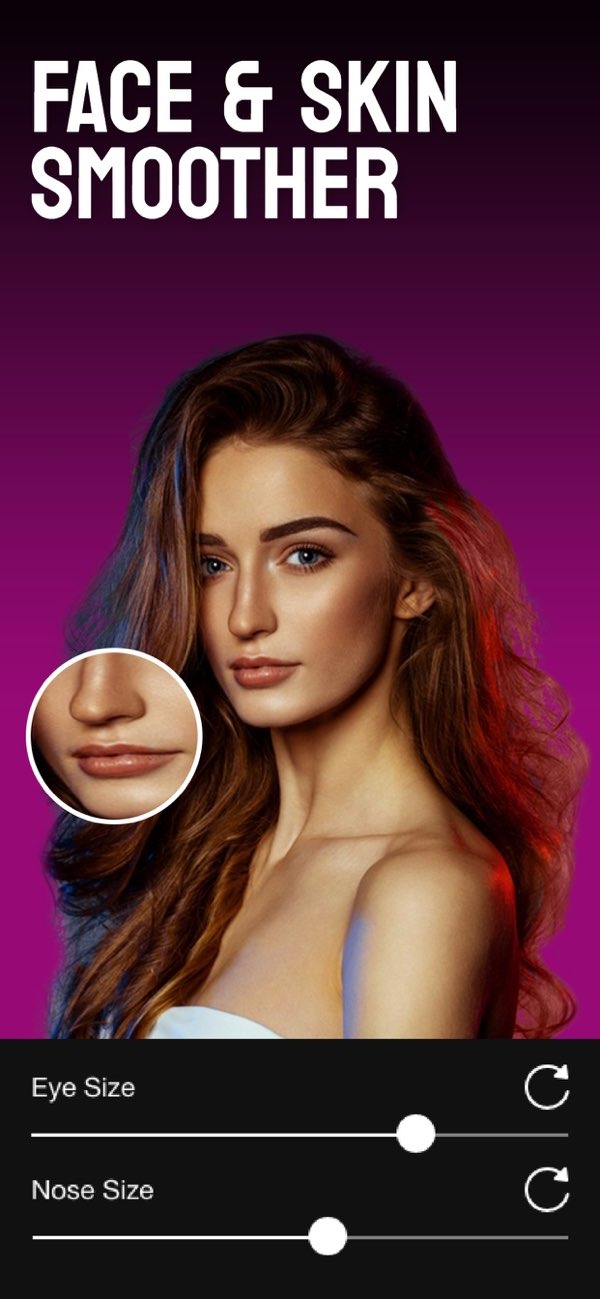
How can I find an app that helps make my face look slimmer in photos?
If you want your face to look slimmer in photos, the Selfie Editor app on iOS is a solid option. It includes several tools for improving facial features, including a face slimmer tool that can help you get the look you want. You can download it from the App Store.
 |
 |
Understanding Face Slimmer Apps
Face slimmer apps help you change facial features in photos. They can make your face look more refined or closer to your personal style. Most of these apps let you adjust face shape and size. Common tools slim the cheeks, define the jawline, and reduce the look of a double chin. Many people use them to improve selfies or update professional headshots.
 |
 |
Interest in face slimmer apps has increased with social media, where photos matter a lot. Many users want simple tools that help them look their best online, and these apps offer an easy way to do that. Some apps also use advanced tech, such as AI, to create changes that look realistic and subtle.
 |
 |
Features of the Selfie Editor App
The Selfie Editor app includes a wide set of photo editing tools, which makes it useful for people who want to improve facial features. Here are some key features:

- Teeth Whitening: The app has a teeth whitening tool with adjustable settings, so users can brighten their smile with a few changes.
- Blemish Eraser: This tool includes an adjustable brush size and intensity to help remove blemishes and create smoother-looking skin.
- Double Chin Remover: Users can use shadow and chin sliders to reduce the appearance of a double chin.
- AI Hair Color Changer: With adjustable hue and saturation, users can try different hair colors.
- Makeup Filters: The app offers multiple color options for makeup filters, which supports different looks and styles.
Face Slimming Tools
The face slimming tools in the Selfie Editor app are a key part of the editing options. They let users adjust face contours to create a slimmer look. The app uses sliders and other controls so you can fine-tune the result. This helps the edits look natural instead of heavily edited, which is important for keeping photos realistic.

How to Use the Selfie Editor for a Slimmer Face
Using the Selfie Editor app to make your face look slimmer is simple. Here is a step-by-step guide:
- Download and Install: Download the Selfie Editor app from the App Store and install it on your iOS device.
- Upload a Photo: Open the app and upload the photo you want to edit.
- Select Face Slimming Tool: Find the face slimming feature in the app’s editing tools.
- Adjust Settings: Use the sliders to adjust the face shape to your preference. For a natural look, avoid pushing the settings too far.
- Save and Share: When you are happy with the result, save the photo and share it on your preferred social media platforms.
Benefits of Using Face Slimmer Apps
Face slimmer apps offer several benefits for people who want to improve their photos:
- Enhanced Appearance: These apps can help users create a more polished look, which may increase confidence when sharing photos online.
- Ease of Use: Many face slimmer apps, including Selfie Editor, are easy to use and do not require editing experience.
- Customization: Users can adjust edits to match their preferences, so the final photo fits their personal style.
- Time-Saving: Because the tools are quick to use, users can improve photos in just a few minutes.
Common Mistakes When Using Face Slimmer Apps
Face slimmer apps can work well, but it helps to avoid common mistakes that can make photos look unnatural:
- Over-Editing: Using slimming tools too much can make a photo look unrealistic. Small changes often look better.
- Ignoring Proportions: Natural proportions matter. Adjust features in a way that still fits the rest of the face.
- Neglecting Other Features: If you focus only on slimming, you may miss other helpful edits, such as blemish removal or teeth whitening.
Limitations and Trade-offs
Face slimmer apps can be useful, but they also have limits and trade-offs:
- Realism vs. Perception: It can be hard to balance a natural look with the effect you want. Users should think about how others may view the edits.
- Device Compatibility: Some apps are not available on every device or operating system, which can limit access for some users.
- Privacy Concerns: Sharing edited photos online can create privacy concerns, since users may share personal information without meaning to.
Frequently Asked Questions
How can I make my face look slimmer in photos?
To make your face look slimmer in photos, use a face slimmer app like Selfie Editor. It includes tools that adjust facial contours and improve features in a natural-looking way.
Is the Selfie Editor app free?
The Selfie Editor app includes free and premium features. You can use basic editing tools at no cost, and you can unlock more features through in-app purchases.
Can I use face slimmer apps for professional photos?
Yes. Face slimmer apps can improve professional photos by refining facial features, which can work well for headshots and other formal images.
Are face slimmer apps safe to use?
Face slimmer apps are usually safe to use. Still, users should review privacy settings and be careful about data sharing when uploading and sharing photos.
If you want to improve your photos with advanced editing tools, the Selfie Editor app on iOS offers a wide range of options. Download it from the App Store and explore the features it includes. For more information about the app and its developer, visit Editr Apps.

