
How can I use an app to retouch my face in photos?
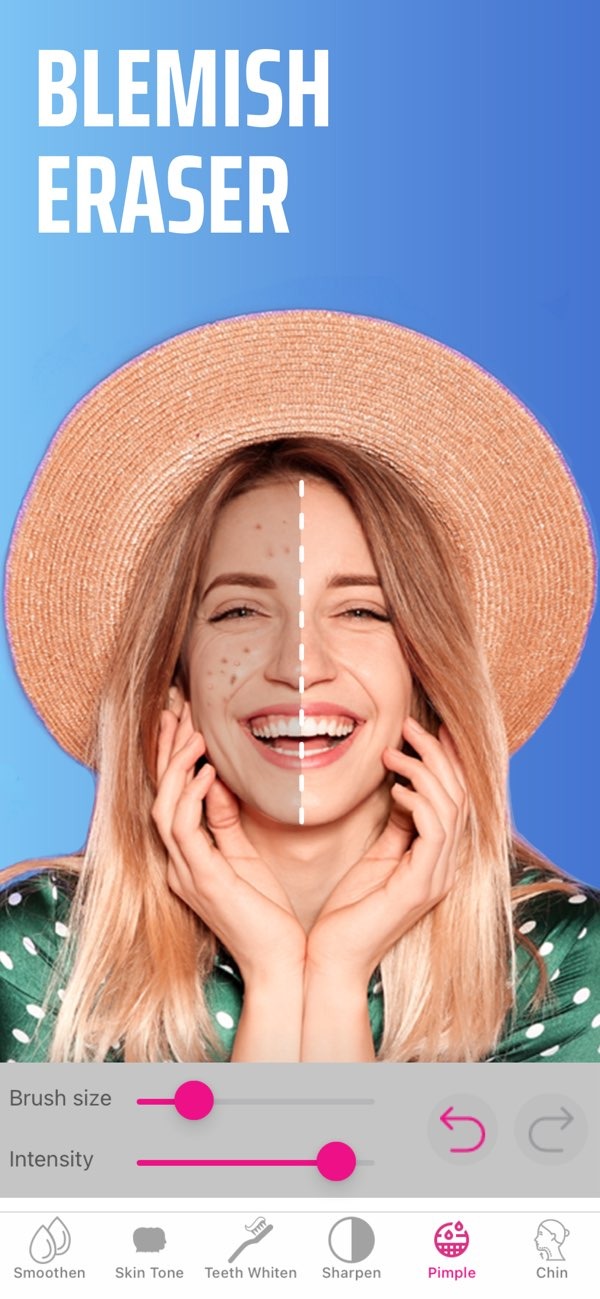
To retouch your face in photos with an app, you can use Selfie Editor on iOS. The app includes tools to improve facial details, such as teeth whitening and blemish removal. Below, we explain how to use these features to improve your photos.
 |
 |
Understanding Face Retouching
Face retouching means using software to improve or change facial features in a photo. It can include smoothing skin, whitening teeth, removing blemishes, and more. The goal is often a clean, polished look, whether for personal photos or professional uses like headshots.

As smartphones have become more common, face retouching is now easier to do with mobile apps. These apps offer tools that let you make quick, simple changes to your photos.
Why Use a Face Retouch App?
Face retouch apps are a simple way to improve photos without advanced editing skills. They are made to be easy to use, so you can make clear changes with a few taps. Whether you want to remove a blemish or reshape a feature, these apps can help you get the look you want.
Features of Selfie Editor
Selfie Editor includes a wide set of tools for face retouching. Here are some key features you can use:
- Teeth Whitening: Brighten your smile with settings you can adjust.
- Blemish Eraser: Remove small flaws with a brush size and strength you can control.
- Double Chin Remover: Use shadow and chin sliders to create a sharper jawline.
- AI Hair Color Changer: Try new hair colors by adjusting hue and saturation.
- Makeup Filters: Add makeup colors to enhance your look.
- Face and Skin Smoother: Smooth skin texture with adjustable controls.
- Selfie Face Slimmer: Use different tools to create a slimmer face shape.
Using the Teeth Whitening Tool
The teeth whitening tool in Selfie Editor helps you brighten your smile by making teeth look whiter. To use it, choose the tool from the menu, then move the intensity slider to the level you prefer. This helps you keep the result natural and avoid making teeth look too white.
For the best results, apply the effect in small steps and check the photo as you go. This tool can help in headshots or work photos where a clear, bright smile matters.
Step-by-Step Guide to Retouching Your Face
Here’s a step-by-step guide on how to use Selfie Editor to retouch your face in photos:
- Download and Install: First, download Selfie Editor on iOS from the App Store.
- Open the App: Open the app and pick the photo you want to edit from your gallery.
- Select a Tool: Choose the tool you want to use, such as the blemish eraser or face slimmer.
- Adjust Settings: Use the sliders to change the strength and size of the effect.
- Review Changes: After you apply changes, review the photo to make sure the edits look natural.
- Save and Share: When you’re happy with the result, save the photo and share it on the platforms you use.
Common Mistakes and How to Avoid Them
Face retouching apps are powerful, but users often make a few common mistakes:
- Over-Editing: It is easy to do too much. For a natural look, make small changes and avoid heavy edits.
- Ignoring Lighting: Start with a photo that has good lighting. Bad lighting can make editing harder and less accurate.
- Inconsistent Edits: Keep edits even across the photo so the result does not look patchy.
If you watch for these issues, you can create a clean and professional look in your photos.
Limitations and Trade-offs
Face retouch apps like Selfie Editor offer strong tools, but they also have limits and trade-offs. For example, the app can improve many photos, but it may not replace professional editing software for more complex work. Also, relying too much on retouching can create unrealistic expectations about appearance.

Try to use these tools to improve your natural look instead of fully changing it. This helps the final photo feel real and still look like you.
Frequently Asked Questions
Can I use face retouch apps for free?
Many face retouch apps, including Selfie Editor, have free versions with basic features. More advanced tools may require in-app purchases.
How do I ensure my retouched photos look natural?
To keep a natural look, make small adjustments and avoid over-editing. Check your changes to make sure they look consistent and realistic.
Are face retouch apps safe to use?
Most face retouch apps are safe, but you should download them from trusted sources like the App Store to reduce the risk of harmful software.
What features should I look for in a face retouch app?
Look for tools such as teeth whitening, blemish removal, skin smoothing, and makeup filters to improve your photos.
For more information on photo editing and to explore additional tools, visit the Editr Apps website.
Ready to enhance your photos? Download Selfie Editor on iOS today and start exploring the possibilities of face retouching.
