
How can I use a face corrector app to enhance my photos?
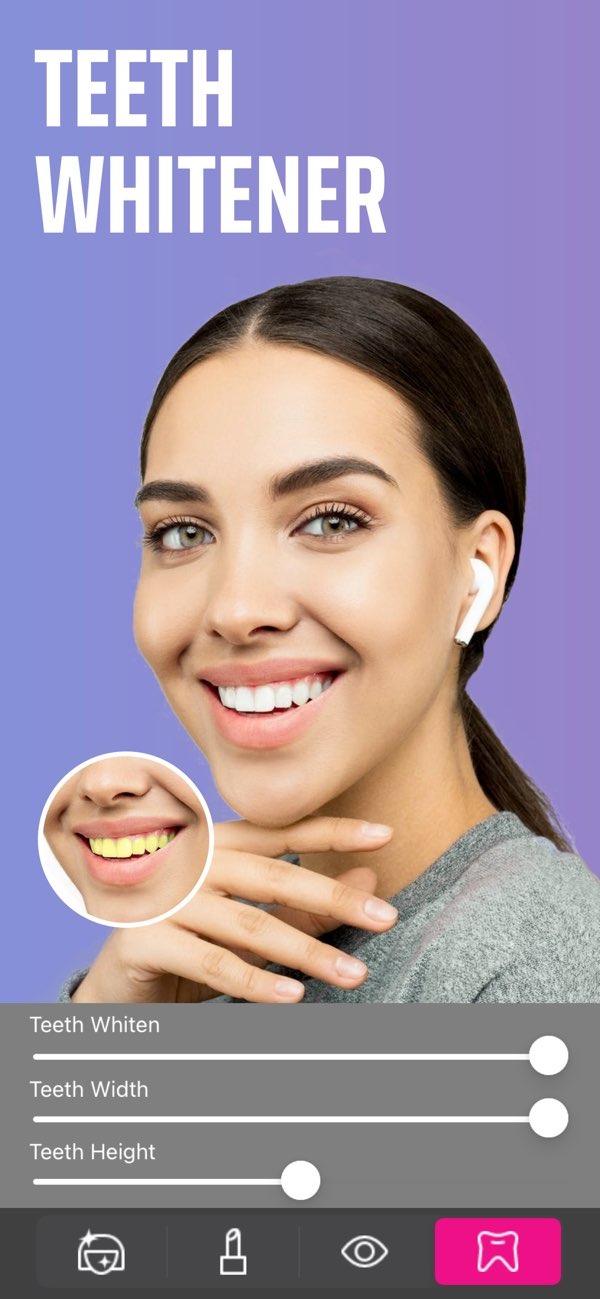
Using a face corrector app like Selfie Editor on iOS can improve your photos by giving you tools to refine facial details. The app includes teeth whitening, blemish removal, and makeup filters. This makes it useful for both casual photos and professional edits.
 |
 |
 |
 |
 |
 |
 |
Creative Photo Editing
If you enjoy creative editing, the AI hair color changer and makeup filters give you many options. You can test different looks and styles without making permanent changes. This can add a unique and artistic feel to your photos.

Common Mistakes and Limitations
Face corrector apps can be very effective, but it helps to understand common mistakes and limits. This can prevent edits that look unrealistic or reduce image quality. Careful use usually leads to better results.
Over-Editing
A common mistake is over-editing, which can make a photo look unnatural. Try to use each tool with a light touch. Aim for a balance between improvement and a real, believable look.
Resolution and Quality
Editing can sometimes affect photo resolution and overall quality. Heavy edits may reduce sharpness or create visible artifacts. To avoid this, keep an eye on image clarity and try to preserve the original resolution.
Realistic Expectations
Face corrector apps can improve photos, but they cannot fully change someone’s facial structure. It helps to set realistic expectations about what the tools can do. In most cases, the best results come from enhancing features rather than trying to replace them.

Frequently Asked Questions
How can I whiten my teeth using a face corrector app?
To whiten your teeth using a face corrector app like Selfie Editor, choose the teeth whitening tool. Then adjust the brightness and whiteness settings until the result looks natural.
Can I change my hair color with a face corrector app?
Yes. Many face corrector apps, including Selfie Editor, include an AI hair color changer. You can test different colors by adjusting hue and saturation settings.
Are face corrector apps free?
Some face corrector apps have free versions with basic tools. Others require a one-time purchase or a subscription to unlock advanced features.
What should I avoid when using a face corrector app?
Avoid over-editing, since it can make photos look unnatural. Also try to protect photo quality by keeping edits moderate and maintaining the original resolution.
To explore the full potential of face corrector tools, consider downloading Selfie Editor on iOS. For more information on the app and other editing solutions, visit the Editr Apps website.
