
What does the Face App do?
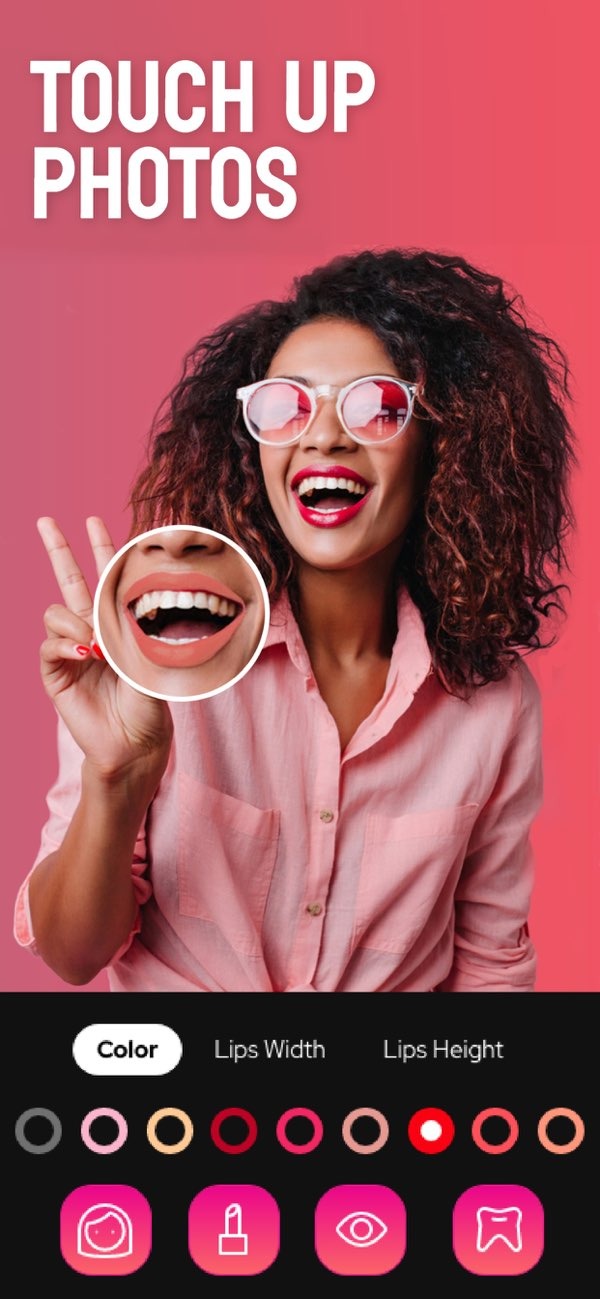
The Face App, available as the Selfie Editor on iOS, is a photo editing app that helps you improve facial features using tools and filters. It lets you change your selfies with options like teeth whitening, blemish removal, and AI-based hair color changes.
 |
 |
Key Features of the Face App
The Face App is a useful tool for anyone who wants to improve selfies or professional headshots. It includes features for many editing needs, so users can get the look they want with less effort.
Teeth Whitening
One key feature of the Face App is the teeth whitening tool. It lets users change how bright and white their teeth look for a cleaner smile. Since the settings are adjustable, you can keep the result natural and avoid making it look too edited.

Blemish Eraser
The blemish eraser tool helps remove small marks and spots on the skin. With an adjustable brush size and strength, users can focus on specific areas and smooth out blemishes for a clearer complexion.

Double Chin Remover
If you want to improve the look of your jawline, the double chin remover can help. It uses sliders for shadow and chin shape to create a more defined jawline and improve overall face shape.

AI Hair Color Changer
The AI hair color changer lets users try different hair colors without dye. By changing the hue and saturation, you can test many shades and choose the one that fits your style.

Makeup Filters
Makeup filters give users different color options to bring out facial features. You can add blush or try stronger lip colors. These filters make it simple to apply makeup effects in a digital way.
Advanced Editing Tools
In addition to basic changes, the Face App includes advanced editing tools for more specific goals. These tools help users fine-tune selfies for personal use or for work.
Selfie Face Slimmer
The selfie face slimmer is for users who want to slightly change the shape of their face. With the available tools, you can slim the face to create a more refined look.
Face and Skin Smoother
The face and skin smoother tool helps create a more polished result. By adjusting the smoothing level, users can reduce the look of wrinkles and fine lines for a younger-looking complexion.
Professional Headshots
For work and business needs, the Face App includes tools for headshots that look clean and professional. These tools can improve facial symmetry and bring attention to key features, which can help with work-related photos.

How to Use the Face App
Using the Face App is simple, so it works for users at any skill level. Here is a step-by-step guide to get started:
- Download the Selfie Editor on iOS.
- Open the app and pick a photo from your gallery, or take a new selfie.
- Select the feature you want to use, such as teeth whitening or the blemish eraser.
- Use the sliders to adjust the settings to your liking.
- Save the edited photo to your device, or share it on social media.
Common Mistakes and Tips
Even though the Face App is easy to use, there are a few common mistakes to avoid if you want the best results:
- Over-editing: Try to keep a natural look by not using the tools too much.
- Ignoring lighting: Lighting affects photo quality. Start with a well-lit photo before you edit.
- Consistency: If you edit several photos, use a similar style each time for a consistent look.
Limitations and Trade-offs
While the Face App offers many features, it also has limits. It focuses on facial edits, so it may not work well for full-body edits or photos that are not focused on the face. Also, AI tools can look very good, but they may not always match natural changes perfectly. In some cases, you may need to adjust the result by hand to get the best outcome.
Frequently Asked Questions
Can I use the Face App for professional headshots?
Yes. The Face App includes tools that improve facial symmetry and highlight key features, so it can work well for professional headshots.
Does the Face App work on all devices?
The Face App is available on iOS devices. You can download it from the App Store as the Selfie Editor.
How does the AI hair color changer work?
The AI hair color changer uses algorithms to find the hair area and apply color changes. You can adjust hue and saturation to get the look you want.
What are the benefits of using makeup filters?
Makeup filters let you try different looks without putting on real makeup. They offer a fast and simple way to enhance facial features digitally.
If you want to explore what the Face App can do, download the Selfie Editor on iOS today. For more details about the app and its developer, visit Editr Apps.
