
How can I improve the lighting in my selfies using an app?
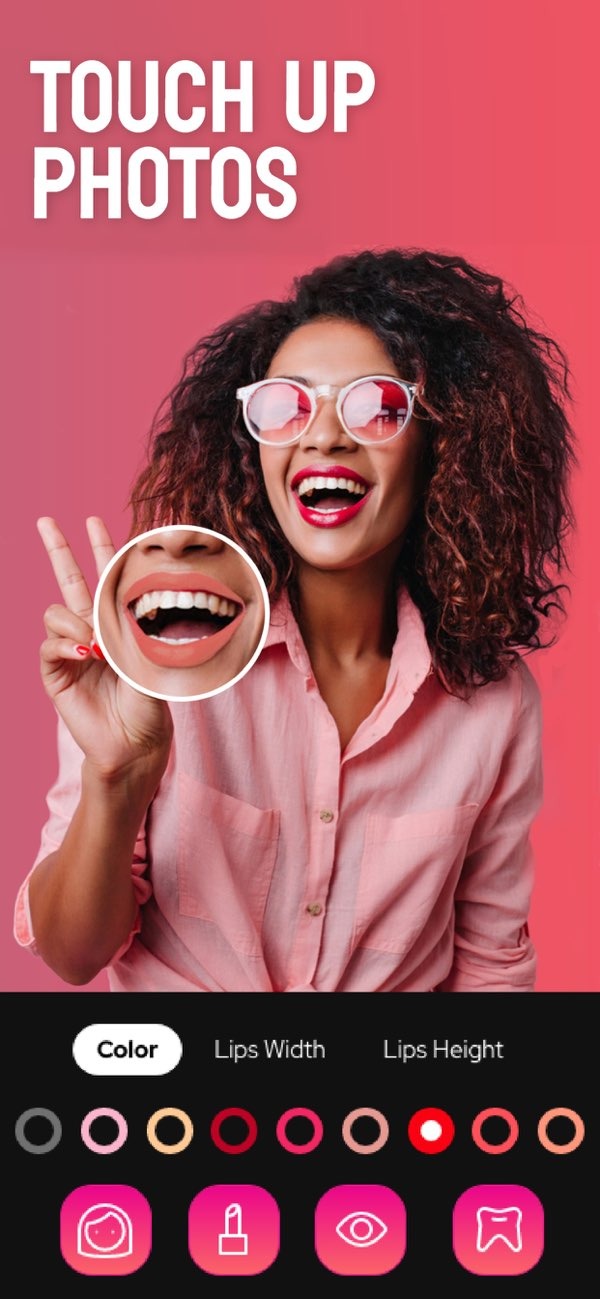
To improve the lighting in your selfies, you can use the Selfie Editor app on iOS. The app includes tools and simple settings that help you adjust lighting and overall photo quality. You can brighten your photo, smooth your skin, or reduce shadows. Selfie Editor gives you a full set of features to improve your selfies.
 |
 |
Understanding the Importance of Good Selfie Lighting
Lighting is very important in photography, and it matters even more in selfies because your face is the main focus. Good lighting can make you look better by showing your best features and reducing the look of small flaws. Poor lighting can create harsh shadows and hide details. That is why it helps to know how to adjust lighting when you want a great selfie.
Natural light is often the best choice for selfies because it is soft and even. Still, natural light is not always available or easy to use. In those cases, apps like Selfie Editor can help by giving you digital tools that copy or improve the lighting in your photo.
Key Features of Selfie Editor for Lighting Enhancement
Selfie Editor includes several features made to improve lighting in your selfies. These include:
- Adjustable Brightness: Control the brightness of your photo so your face looks well lit and details are clear.
- Shadow Control: Adjust shadows to reduce harsh lines and create a more even look.
- Highlight Adjustment: Adjust highlights to bring attention to key areas and show your best features.
With these tools, you can fine-tune the lighting in your selfies. This helps you get a better photo even when the original lighting is not ideal.
 |
 |
Step-by-Step Guide to Enhancing Selfie Lighting with Selfie Editor
Improving selfie lighting with Selfie Editor is simple. Follow these steps to begin:
- Download and Install the App: Download the Selfie Editor app from the App Store and install it on your iOS device.
- Open Your Photo: Open the app and choose the selfie you want to edit from your photo library.
- Adjust Brightness: Use the brightness tool to raise or lower the light in your photo. Try to keep the result natural while making your facial features easier to see.
- Modify Shadows: Change the shadow settings to soften strong lines and create a more flattering look.
- Enhance Highlights: Use the highlight tool to draw attention to areas like your eyes or cheekbones. This can add depth and shape to your selfie.
- Save and Share: When you like the result, save your edited photo and share it with friends or on social media.
Common Mistakes and How to Avoid Them
Editing selfies can be enjoyable, but some common mistakes can lower photo quality. Here are a few issues to avoid:
- Over-Editing: It is easy to add too many edits. Make small changes so your photo still looks natural.
- Ignoring Shadows: If you do not adjust shadows, your photo may look flat. Use shadow tools to add balance and depth.
- Inconsistent Lighting: Keep lighting even across the photo so it does not look strange or uneven.
When you watch for these mistakes, you can improve your selfies while keeping them realistic and true to the original photo.
Exploring Additional Features of Selfie Editor
In addition to lighting tools, Selfie Editor includes other features that can improve your selfies:
- Teeth Whitening: Brighten your smile with adjustable settings that help it look natural.
- Blemish Eraser: Remove small imperfections with a brush that lets you adjust size and strength.
- Double Chin Remover: Use shadow and chin sliders to refine the look of your jawline.
- AI Hair Color Changer: Try different hair colors by adjusting hue and saturation.
- Makeup Filters: Add makeup filters to enhance your look, with different color options.
- Face and Skin Smoother: Smooth your skin with adjustable tools for a cleaner, more even look.
These tools make Selfie Editor a flexible app for photo editing. They help you create high-quality selfies with less effort.

Frequently Asked Questions
If you want to improve your selfies, Selfie Editor on iOS is a strong and easy-to-use option. Try its features to improve your photos and get the look you want. For more details, visit Editr Apps.
