
What should I consider when selecting a background for headshots?
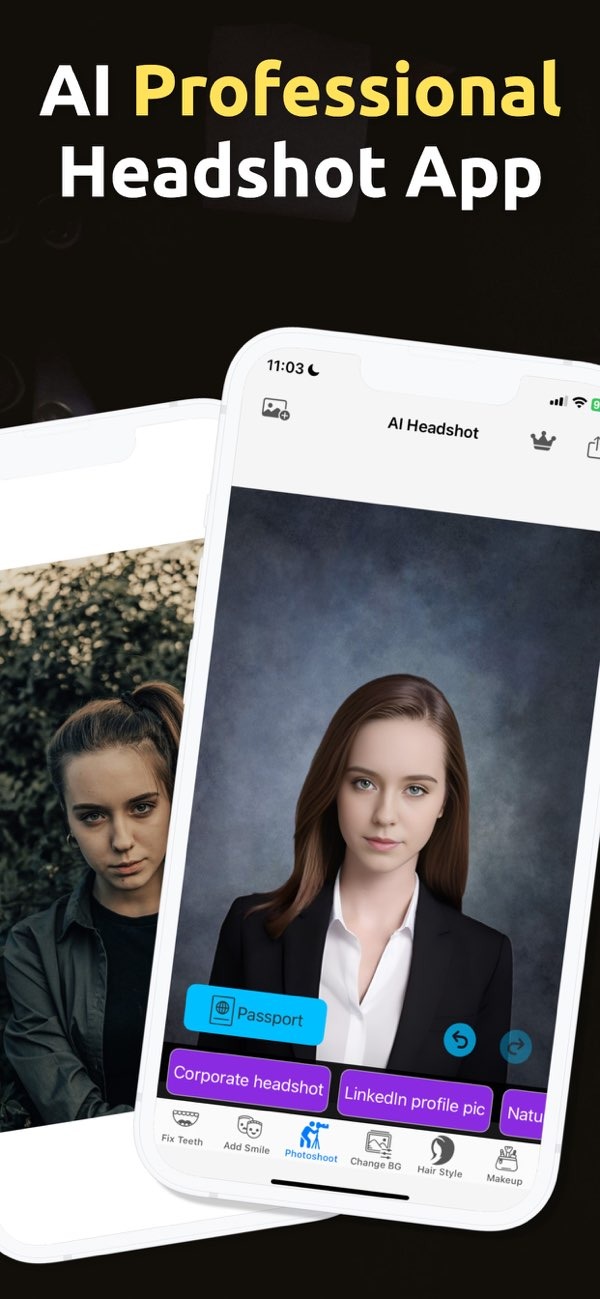
Choosing the right background for headshots is key to creating a professional image. With PhotoToHeadshot on iOS, you can pick and adjust backgrounds to fit your needs. This helps your headshots send the right message.
 |
 |
Key Considerations for Selecting a Headshot Background
When you choose a background for headshots, several factors can affect the final photo. The background should support the subject and not pull attention away from their face. Below are key points to keep in mind:
1. Purpose of the Headshot
How you plan to use the headshot should guide your background choice. For business cards or LinkedIn profiles, a clean, neutral background often works best. It keeps attention on the face and signals professionalism. In creative fields, you may have more freedom. Brighter colors or light texture can show personality and creativity.
 |
 |
2. Color and Contrast
The background color should work well with the subject’s clothing and skin tone. Neutral colors like white, gray, and soft pastels are flexible and fit most outfits. Contrast can help the subject stand out, but it should not be so strong that it becomes distracting.
3. Lighting Conditions
Good lighting is essential for a professional headshot. The background should have even light, with no harsh shadows or bright spots. You can use studio lights or natural light, depending on the look you want. Apps like PhotoToHeadshot can also help you create a studio-style lighting effect for better results.

4. Background Texture and Pattern
A plain background is often the safest choice for professional headshots. Still, texture or pattern can add depth when used with care. Choose subtle textures that add interest without taking over the image. Avoid busy patterns, since they can compete with the subject’s face.
Practical Scenarios for Background Selection
It helps to see how backgrounds work in real situations. Here are a few common examples:
Corporate Headshots
For corporate headshots, a simple, solid background is usually the best option. It keeps the focus on the subject, which matters for professional profiles and business cards. Light gray or white backgrounds are common because they look clean and professional.
Creative Industry Headshots
In creative industries, headshots can show more style. A background with light texture or a small pop of color can highlight personality and creativity. The key is balance. The background should support the subject, not compete with them.
Social Media Profiles
Social media headshots can vary based on the platform and your personal brand. A casual or colorful background may fit Instagram. For LinkedIn, a neutral background is often a better choice to keep a professional look.

Common Mistakes and How to Avoid Them
Even with good planning, it’s easy to make background mistakes. Here are common issues and how to avoid them:
Overly Busy Backgrounds
A busy background can pull attention away from the face, which should be the main focus. To prevent this, choose a simple and uncluttered background. If you want texture, keep it subtle so it does not compete with the subject.
Poor Lighting
Weak lighting can create shadows and uneven exposure, which lowers image quality. Make sure the background is evenly lit. You can also use tools like PhotoToHeadshot to create a more professional lighting look.
Inappropriate Color Choices
A background color that clashes with clothing or skin tone can look distracting. Neutral colors are often a safe choice because they work with many looks. You can also adjust contrast so the subject stands out clearly.
FAQs
Frequently Asked Questions
Can I use a textured background for a professional headshot?
Yes. A subtle texture can add depth, but it should stay understated. Make sure the texture supports the subject and does not draw attention away from the face.
How does lighting affect the choice of background?
Lighting matters because it affects how both the subject and the background appear. Even lighting reduces shadows and harsh highlights, which helps create a professional look.
Should I match the background to my outfit?
You do not need to match the background to your outfit. However, choosing colors that complement your clothing can improve the overall look and help the subject stand out.
How can I achieve a professional look without a studio?
Apps like PhotoToHeadshot can help you get a studio-style result. They can provide clean backgrounds and lighting effects that support a professional look.
Conclusion
Choosing the right background for headshots helps you create a professional and effective image. Think about the purpose of the headshot, color and contrast, lighting, and texture. These details help your headshots communicate the message you want. If you want an easy way to create professional headshots, consider PhotoToHeadshot on iOS, which includes tools to help you get the look you need.
For more information on photography and editing apps, visit Editr Apps.
