
What’s a Fun Way to Create a Baby Reveal Video Using an App?
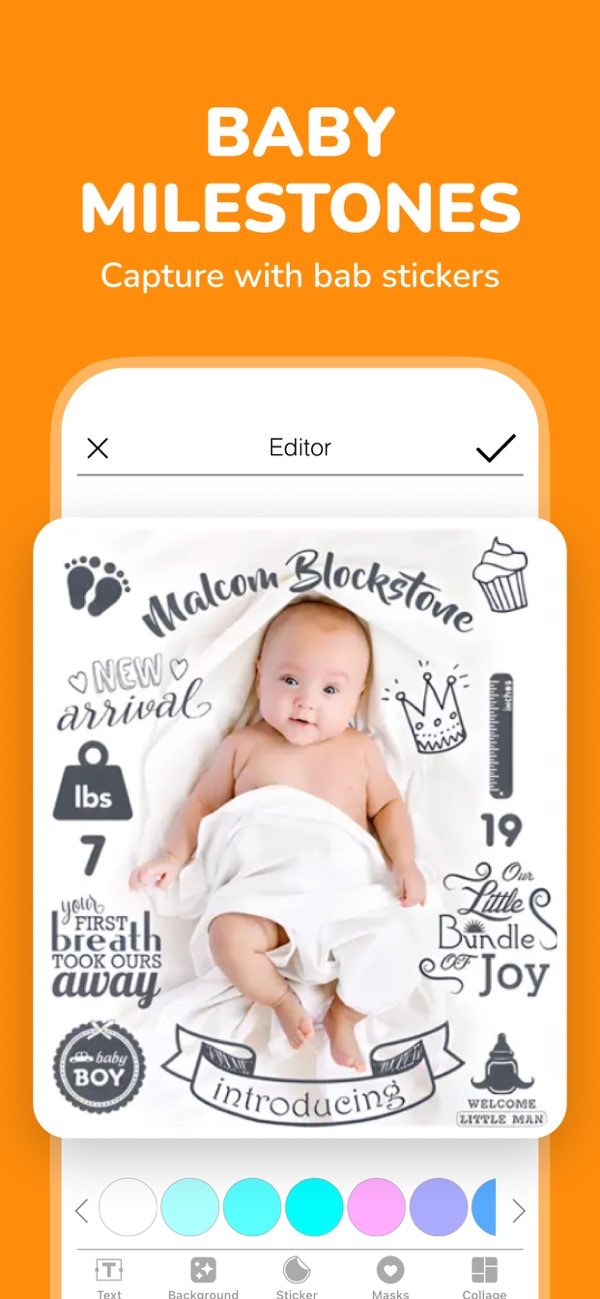
Creating a memorable baby reveal video can be a fun and happy experience with the Pregnancy announcement app on iOS. The app includes many helpful features, such as stickers you can customize and text options, so you can make an announcement that fits your style.
 |
 |
Key Features of Baby Reveal Apps
Baby reveal apps are made to help you announce a pregnancy or a new baby in a fun, creative way. They often include tools that make your announcement feel personal and unique. Here are some key features you may see:
Customizable Stickers and Text
Many baby reveal apps, including the Pregnancy announcement app, include stickers and text you can customize. This helps you add a personal touch to photos and videos. You can pick from different themes and fonts, so the look matches your style and the message you want to share.
Photo Editing Tools
Photo editing tools help you create clear, high-quality announcements. Apps like the Totsie baby photo editor let you improve images with filters, change brightness, and crop photos to highlight what matters most. These tools can help your announcement look clean and polished.

Baby Milestones and Weekly Stickers
Tracking your baby’s growth and milestones is a great way to share your journey with family and friends. Baby announcement apps often include milestone and weekly stickers, so you can record your baby’s development in a creative and simple way.
Invitation Cards for Events
Along with announcements, some apps also offer invitation templates. If you are planning a baby shower or a milestone event, these templates can help you make invitations that match the theme and style of your announcement.

How to Create a Baby Reveal Video
Making a baby reveal video takes a few steps, from choosing an idea to sharing the finished video. Here is a step-by-step guide to help you:
Step 1: Plan Your Concept
Before you start, plan your idea for the video. Think about the message you want to share and how you want to show it. Do you want a funny reveal or a more emotional one? Planning first can make the rest of the process easier.
Step 2: Gather Your Materials
Gather the photos and videos you want to use in your announcement. This could include ultrasound images, photos of baby clothes, or clips of family reactions. When everything is ready, editing usually goes faster and feels less stressful.
Step 3: Use the App’s Features
Open the Pregnancy announcement app and begin building your video. Use the app’s tools to add stickers, text, and effects to your photos and clips. Try a few different options until you find a look that fits your announcement.
Step 4: Edit and Finalize
After you add your elements, watch the video from start to finish to check the flow. Adjust timing, transitions, or placement if needed. The app’s editing tools can help you make small changes so the final video feels smooth.
Step 5: Share Your Video
When your video is finished, share it with family and friends. Most apps let you share through social media, email, or messaging apps. Take time to enjoy the reactions and the joy your announcement brings.
Common Mistakes to Avoid
Making a baby reveal video can be enjoyable, but a few common mistakes can get in the way:
Overloading with Effects
It can be tempting to use every effect, but too many effects can pull attention away from the main message. Try to keep a balanced look that supports your reveal instead of distracting from it.
Ignoring Video Length
Keep your video short and focused. If it is too long, people may stop watching before the end. Choose a length that shares your message clearly without feeling slow.
Forgetting to Save Progress
Save your work often while you edit. This helps prevent losing progress if the app closes, your phone restarts, or another technical issue happens.
Limitations and Trade-offs
Baby reveal apps can be very useful, but they also come with limits and trade-offs:
Device Compatibility
Some apps do not work on every device or operating system. Before you start, check that the app you want is available and works well on your device.
Learning Curve
If you are new to the app, the tools may feel like a lot at first. Spend a little time exploring the features and practicing with them, so you feel more confident as you create your video.
Cost Considerations
Many apps have free versions, but some features may cost extra through in-app purchases. Think about your budget and decide which features you really need before you buy anything.
Frequently Asked Questions
How do I choose the best baby reveal app?
Look at the app’s features, such as customizable stickers, photo editing tools, and how easy it is to use. Read user reviews, and make sure the app works with your device before you download it.
Can I use a baby reveal app for other announcements?
Yes. Many baby reveal apps include tools you can also use for other announcements, like baby showers or milestone events. They often provide templates and options you can customize.
Are baby reveal apps free?
Many baby reveal apps have free versions with basic tools. Some advanced features may require in-app purchases or a subscription.
What are some popular baby reveal apps?
Popular baby reveal apps include the Pregnancy announcement app and Totsie baby photo editor. Both offer a range of features for creating personalized announcements.
If you want to create a memorable baby reveal video, the Pregnancy announcement app on iOS includes tools and features that can help you make an announcement that feels just right. To learn more about the app and its developer, visit Editr Apps.
