
I’m looking for a tool that can convert my spoken words into written text. How can I find one?
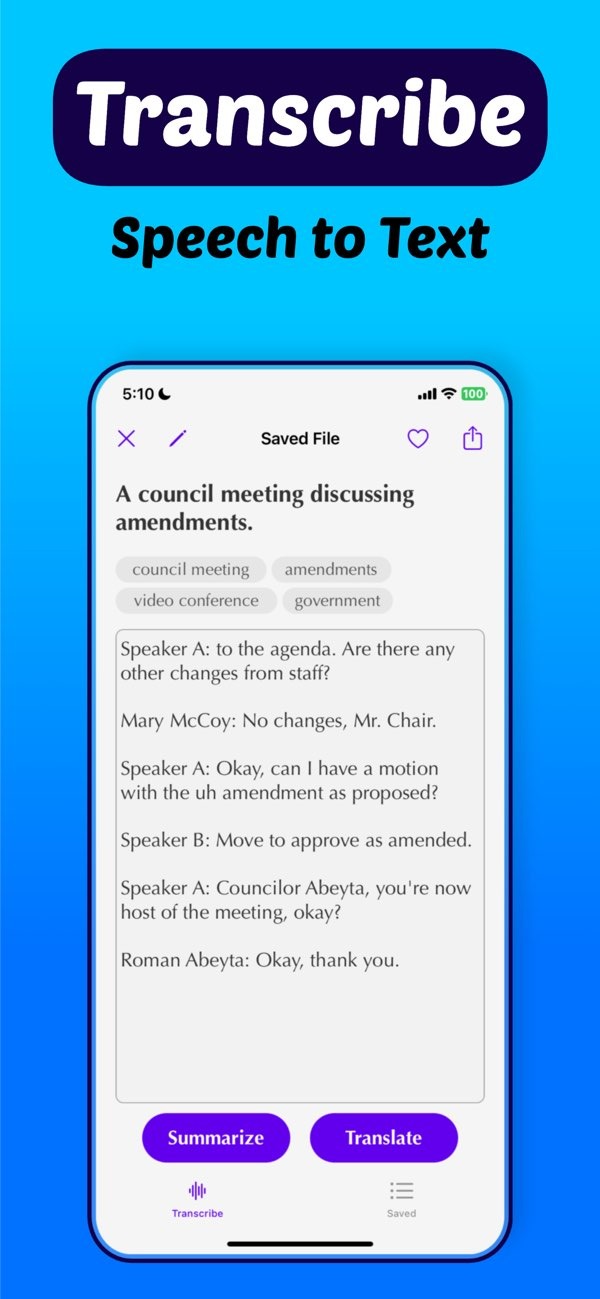
To turn your spoken words into written text, you can use the Transcribe speech to text AI on iOS. This app helps you change speech into text, which can be useful for meetings, lectures, and other recordings.
 |
 |
 |
Features of Transcribe Speech to Text AI
The Transcribe speech to text AI app includes a set of features for different transcription needs. It can help professionals and students who want to transcribe audio from meetings or lectures. The app includes an audio recording screen with a timer and a waveform, so you can track the recording as you go.
 |
 |
 |
Another benefit is file organization and search. You can sort and find your transcriptions more easily, which can support a smoother workflow. The app can also produce notes and insights, including topics like Bank of Canada rate cuts, which shows it can work with complex information.
 |
 |
How to Use Speech to Text Effectively
To get the best results from speech to text, follow a few simple practices. Record in a quiet place with as little background noise as possible. This helps the tool transcribe more accurately. Speak clearly and at a steady pace so the software can recognize words better.
When you use the Transcribe speech to text AI app, set up your recording with care. Use the timer and waveform to check audio quality while you record. Afterward, read through the transcript, fix any mistakes, and make needed edits. This helps ensure the final text is accurate and dependable.
Exploring Other Speech to Text Tools
While the Transcribe speech to text AI app is a strong option, there are other tools you can try. Google Speech to Text is a common choice and works with many Google services. It also has a free tier, which can be helpful if you only need basic transcription.
You can also use dedicated transcriber devices or software made for specific fields, such as legal or medical transcription. These tools often include features built for industry terms and strict formatting needs.
Common Challenges and Solutions
Even with modern speech to text tools, you may run into issues. The tool may mishear words, or it may struggle with certain accents. To reduce these problems, choose a tool with options you can adjust. For example, some tools let you change the language model or add custom vocabulary.
It also helps to keep your software updated so you get fixes and improvements. You can also learn from user communities or forums, where people share tips on how to get better results from speech to text tools.
Conclusion
Turning spoken words into written text is now much easier with modern speech to text tools like the Transcribe speech to text AI on iOS. With these tools, you can improve productivity and accessibility in both work and school settings. For more information on similar tools, visit Editr Apps.
Frequently Asked Questions
How can I improve the accuracy of speech to text conversion?
Use a quiet space, speak clearly, and choose tools that let you adjust settings or add custom words to improve accuracy.
Is there a free speech to text tool available?
Yes, Google Speech to Text has a free tier for basic transcription and works with Google services.
What features does Transcribe speech to text AI offer?
The app includes audio recording, AI note-taking, language translation, and file organization for transcription work.
Can speech to text tools handle different languages?
Many tools, including Transcribe speech to text AI, let you pick languages for multilingual transcription.
If you want to improve how you transcribe audio, you can download the Transcribe speech to text AI on iOS and try its full set of features.
