
How can I digitally restore old photos using an online tool?
To digitally restore old photos using an online tool, you can use the AI Photo Enhancer on iOS. This app includes features that help you improve and fix old photos with less effort.
Understanding Digital Photo Restoration
Digital photo restoration means using software to fix and improve old or damaged photos. It can include correcting color, removing spots, sharpening details, and more. It is a modern way to preserve personal and historical photos that have changed or faded over time.
As AI has improved, tools like AI Photo Enhancer have made digital restoration much easier. These tools use advanced algorithms to review a photo and improve its quality, often in only a few steps.
Features of AI Photo Enhancer
AI Photo Enhancer is a complete tool with several features that support digital restoration. Below are some of its main functions:
Enhance and Sharpen Blurry Photos
A key feature of AI Photo Enhancer is the ability to enhance and sharpen blurry photos. This helps with older photos that may have lost sharpness over time. The app uses AI algorithms to find blur and reduce it, which can create a clearer and more defined image.
 |
 |
Colorization and Repair Tools
AI Photo Enhancer also includes tools to colorize black and white photos and repair damaged areas. This can refresh older images and make them look more vivid while keeping their original look. The repair tools can help with scratches, tears, and fading, so the photo looks closer to how it once did.

Vibrant Filters for Photo Enhancement
The app offers several AI-powered filters that can boost the vibrancy of your photos. These filters adjust color and contrast to make images stand out, while still keeping the photo’s original feel. This is helpful for photos that look dull or washed out.

Portrait Auto Smoother
For portraits, AI Photo Enhancer includes an auto smoother that refines facial details and skin tones. It can improve portraits in a subtle way, so they look cleaner and more even. This can help when restoring old family photos where facial details have faded.

Blur Photo Background Feature
The app also includes a blur photo background feature with an adjustable slider. This lets you highlight the main subject by softening the background. It can be useful when the background is distracting or too busy.

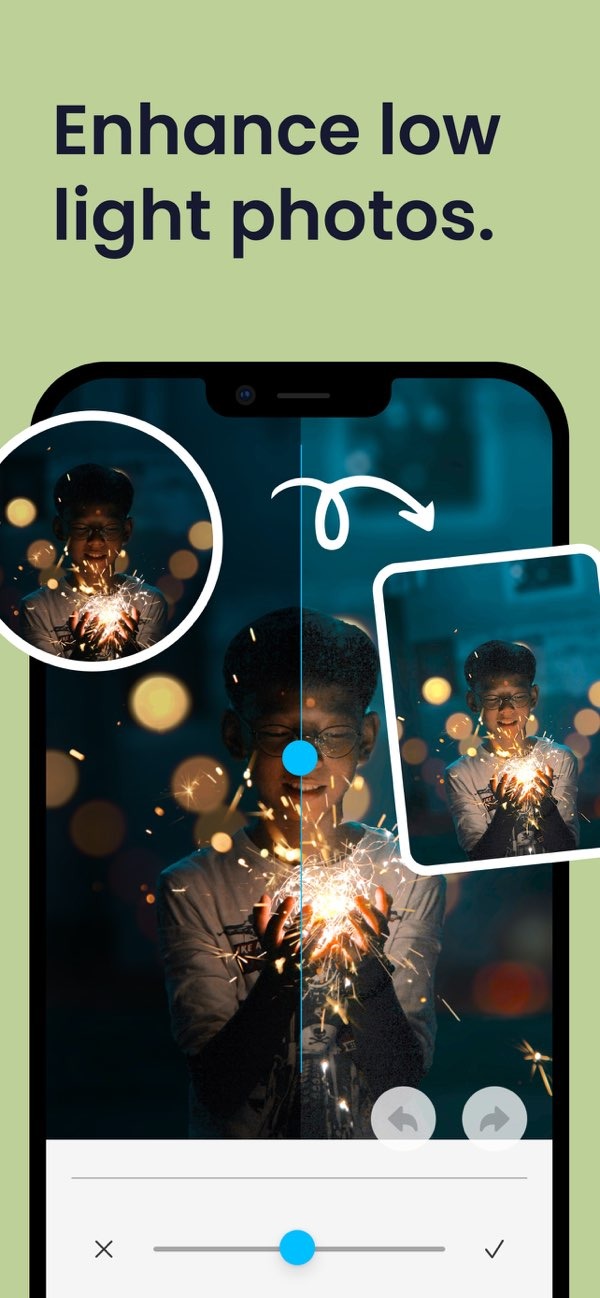
Enhance Low Light Photos
AI Photo Enhancer includes tools to improve photos taken in low light. By adjusting brightness and contrast, the app can bring out details that may be hidden in dark areas. This is useful for restoring photos taken in poor lighting.
Step-by-Step Guide to Restoring Photos
Restoring photos with AI Photo Enhancer is a simple process. Here is a step-by-step guide to get started:
- Download and Install: Download the AI Photo Enhancer app from the App Store and install it on your iOS device.
- Upload Your Photo: Open the app and upload the old photo you want to restore. You can select it from your device’s gallery.
- Select Restoration Tools: Pick the tools that match your needs, such as sharpening, colorization, or repair.
- Apply Enhancements: Use the app’s features to improve and fix the photo. Adjust settings like brightness, contrast, and sharpness if needed.
- Save and Share: When you are happy with the result, save the photo to your device. You can also share it from the app through social media or email.
Common Mistakes in Photo Restoration
AI tools make photo restoration easier, but there are common mistakes that can affect results:
- Over-Enhancing: Using too many filters or edits can make a photo look unnatural. Try to keep a balance so the photo still looks like the original.
- Ignoring Resolution: Low-resolution images can limit what restoration tools can do. When possible, start with the highest resolution version for better results.
- Neglecting Original Copies: Keep a copy of the original photo before you edit it. This gives you a backup if you want to try again.
Limitations and Trade-offs
AI Photo Enhancer includes strong restoration tools, but it also has limits and trade-offs:
AI algorithms can work well, but they are not perfect. They may not restore every detail, especially when a photo is heavily damaged. Also, even though the app automates many steps, you may still need to make manual changes to get the best result.
Another factor is the time it takes to learn a new app. AI Photo Enhancer is designed to be easy to use, but it can still take time to learn what each feature does and when to use it.
Frequently Asked Questions
Can AI tools fully restore severely damaged photos?
AI tools can greatly improve damaged photos, but they may not restore every detail, especially when the damage is severe.
Is AI Photo Enhancer available on Android?
Right now, AI Photo Enhancer is available for iOS devices. Check the Editr Apps website for updates on Android availability.
How can I avoid over-enhancing my photos?
To avoid over-enhancing, use filters and edits in small amounts and try to keep the photo’s original character.
What should I do if the restoration doesn’t meet my expectations?
If the result is not what you expected, try different tools and settings, or work with a professional for more complex restorations.
If you want to preserve old memories, AI Photo Enhancer on iOS can help with digital photo restoration. To review its features and start improving your photos, download the app from the App Store today.
