
How can I sync audio with video using an online tool?
Syncing audio with video is easy with the Add Music to Video app on iOS. The app lets you add music and sound effects to your videos and line them up with the action in a few simple steps.
 |
 |
Understanding Audio and Video Synchronization
Audio and video synchronization means matching the sound track to the right moments in the video so both play together. This step matters for polished videos. If the sound is out of sync, it can distract viewers and lower the overall quality.
The Add Music to Video app makes syncing simpler with clear tools for adjusting audio timing. Whether you add background music or sound effects, good sync helps keep viewers focused on the video.
Why Syncing Matters
When audio is synced, it supports what people see on screen and helps tell the story. For example, in a montage, the music should line up with cuts and transitions to create the right mood. If the audio is off, viewers may feel confused and the video can feel less smooth.
Step-by-Step Guide to Sync Audio with Video
With the Add Music to Video app, you can sync audio with your video projects in a few steps. Here is a detailed guide:
Step 1: Import Your Video
Open the Add Music to Video app and choose the video you want to edit. The app supports many video formats, so it works with most common media files.
 |
 |
 |
Step 3: Adjust Timing
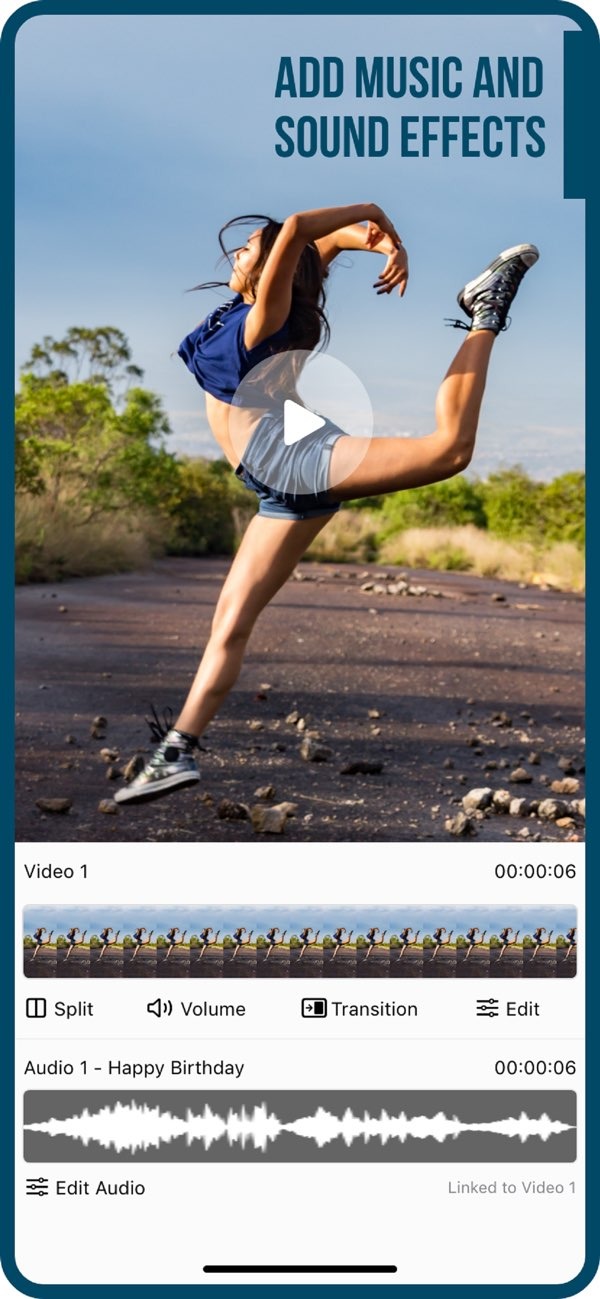
After you pick your audio, use the app’s interface to line it up with the video. You can trim, cut, and move the audio so it matches key moments on screen. The app also gives you precise controls to fine-tune timing.
Step 4: Preview and Edit
Preview the video after you sync the audio to look for any issues. If something feels off, you can adjust the timing again until it sounds right.
Step 5: Export and Share
When you are happy with the sync, export your video. The Add Music to Video app also lets you share directly to social media platforms, so you can post your work more easily.

Features of Add Music to Video
The Add Music to Video app includes features that support a smoother editing workflow. Here are some key functions:
- AI Subtitle in 1 Tap: Automatically create subtitles for your videos to improve clarity and accessibility.
- Photo Filters: Pick from different filters to improve the look of your video.
- Transition Effects: Add transitions between clips to help scenes flow better.
- Sound Packs: Use a large library of sound packs for many themes and genres.
Common Mistakes and How to Avoid Them
When syncing audio with video, people often run into a few common problems. Here is how to avoid them:
Ignoring Audio Quality
Use high-quality audio files whenever possible. Even with perfect sync, low-quality sound can hurt the final video. Preview the audio before you finish the edit.
Overlooking Transitions
Keep transitions between clips smooth. Sudden changes can break the flow of the video. Use the app’s transition effects to help scenes connect more naturally.

Neglecting to Preview
Always preview your video after editing. This helps you spot sync problems and other areas that may need changes. The Add Music to Video app makes it simple to review your work before exporting.
FAQs
Frequently Asked Questions
Can I edit videos of any length with the app?
Yes, the Add Music to Video app supports videos of many lengths. You can edit short clips or longer projects without restrictions.
Is it possible to adjust the volume of the audio track?
Yes, the app includes volume controls. You can raise or lower the audio level to fit the needs of your video.
Does the app support exporting in different formats?
Yes, the app lets you export videos in multiple formats. This helps with playback on different platforms and devices.
Are there any tutorials available for using the app?
Yes, the app includes tutorials and guides. They help users learn the features and use the tools more effectively.
Conclusion
Syncing audio with video is an important part of editing. It improves video quality and helps keep viewers engaged. The Add Music to Video app offers an easy way to sync audio with video. Its features and simple interface work well for both new and experienced editors.
To start syncing your audio with video, download the Add Music to Video app on iOS today. For more information about the app and other editing tools, visit Editr Apps.
