
How can I sync audio with video using an online tool?
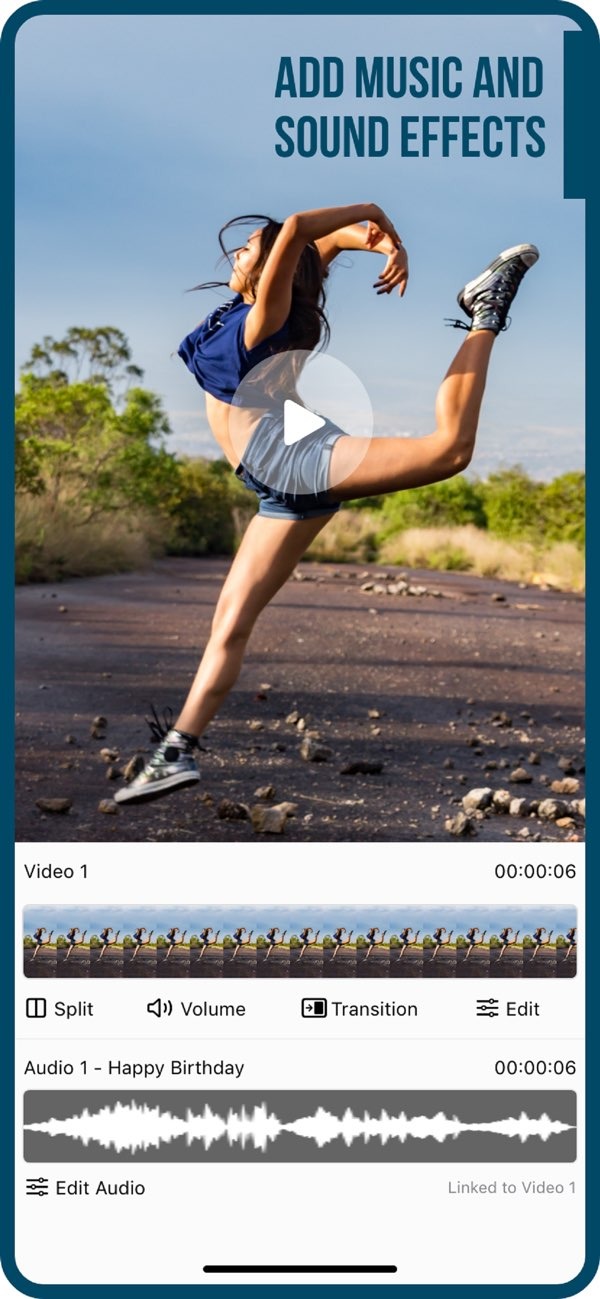
To sync audio with video using an online tool, you can use the Add Music to Video app on iOS. The app has a simple interface for adding music and sound effects to your videos. It helps you keep audio and video in sync, with features that support a smooth editing workflow.
 |
 |
Understanding Audio and Video Synchronization
Audio and video synchronization means lining up sound with what you see on screen. Good sync is important in video production because it affects quality and how people follow the video. When audio is off, the video can feel confusing and may distract viewers from the message.
Syncing usually means matching the timing of audio tracks to the right video frames. You can do this by hand, or you can use tools that help automate parts of the work. The Editr Apps team created the Add Music to Video app to make this task easier, for both new and experienced editors.
Features of Add Music to Video
The Add Music to Video app is built to make audio syncing easier. It includes features for different editing needs, such as:
- Diverse Sound Packs: Pick from a large set of sound packs to find audio that fits your video.
- AI Subtitle in 1 Tap: Create subtitles with one tap to improve access and viewer engagement.
- Photo Filters: Use filters to improve the look of your video.
- Transition Effects: Move between clips smoothly with different transition effects.
- Export and Share: Export your final video and share it on social media.
Step-by-Step Guide to Syncing Audio with Video
Follow these steps to sync audio with video using the Add Music to Video app:
Step 1: Import Your Video
Start by importing the video you want to edit. The app supports many video formats, so you can work with different types of footage. Open the app, choose your video from your device gallery, and add it to the editing timeline.
 |
 |
 |
Step 3: Adjust Synchronization
Use the editing tools to fine-tune the sync between the audio and video. You can move the audio track along the timeline until it matches the visuals. The interface is designed to make this easy, even if you are new to editing.
Step 4: Apply Additional Effects
You can improve your video by adding photo filters and transition effects. These tools help you create a consistent look and a smoother final edit. Try a few options to find what works best for your project.

Step 5: Export and Share
When you are happy with the sync and the full edit, export the video in the format you want. The app also lets you share your video to social media platforms, which makes it easier to publish your work.

Common Mistakes and How to Avoid Them
When you sync audio with video, a few common issues can come up. Knowing them can help you avoid problems:
- Ignoring Frame Rates: Make sure the audio and video use compatible frame rates, or sync can drift.
- Overlapping Audio: Do not stack many audio tracks unless you need to, because it can sound messy.
- Incorrect Timing: Check key audio cues to confirm they match the right on-screen moments.
Limitations and Trade-offs
While the Add Music to Video app includes strong features, it also has limits. It is mainly made for iOS devices, so people on other platforms may not be able to use it. Also, while the app includes many sound packs, you may need to find audio elsewhere if you need a very specific track.
Another trade-off is ease of use versus advanced control. The app is simple and easy to learn, but users who need detailed audio editing may still want extra tools for more complex work.
FAQs
Frequently Asked Questions
Does the app support multiple audio tracks?
Yes, the app lets you add more than one audio track. Manage them with care so they do not overlap and the sound stays clear.
Is it possible to edit video length within the app?
Yes, you can trim clips and change video length in the app. This helps you match your video to your audio with better accuracy.
How do I share my edited video on social media?
After you export your video, the app gives you options to share it on different social media platforms. This makes sharing faster and simpler.
Are there any costs associated with using Add Music to Video?
The app is free to download, but it may include in-app purchases for extra features or sound packs.
Conclusion
Syncing audio with video is an important part of video editing, and it can improve the viewing experience. The Add Music to Video app offers a practical way to get clean sync, with features that work for both beginners and experienced editors. To learn more about what it can do, download Add Music to Video on iOS today and start creating engaging content.
